

A monthly view of the instance
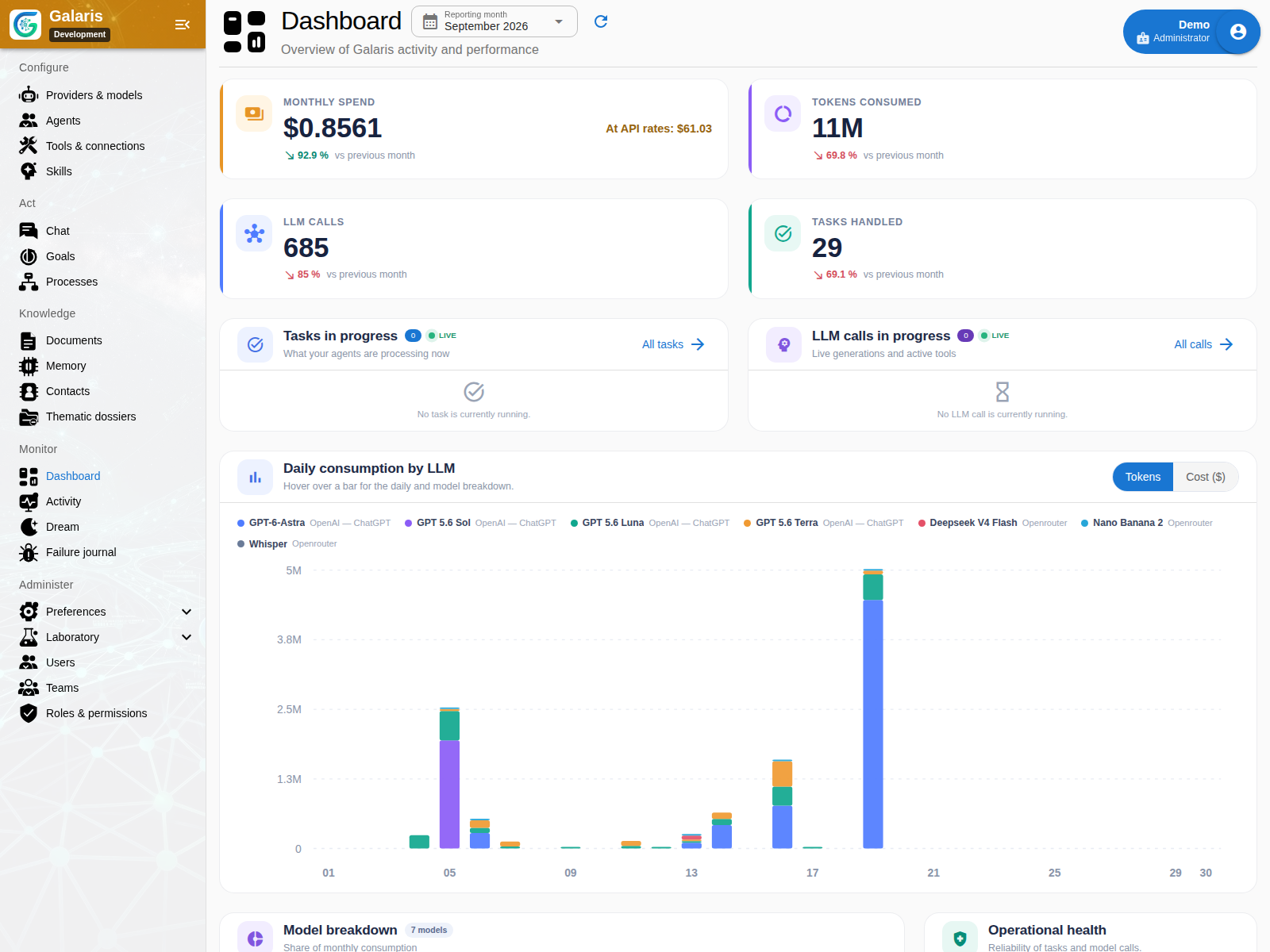
Dashboard aggregates Tasks, success rates, model calls, tokens, costs, latency and incidents. Breakdowns by agent and model help identify changes, and live activity opens the related work. These figures describe recorded usage; they do not replace supplier invoices or measure business return automatically.
Five views of activity
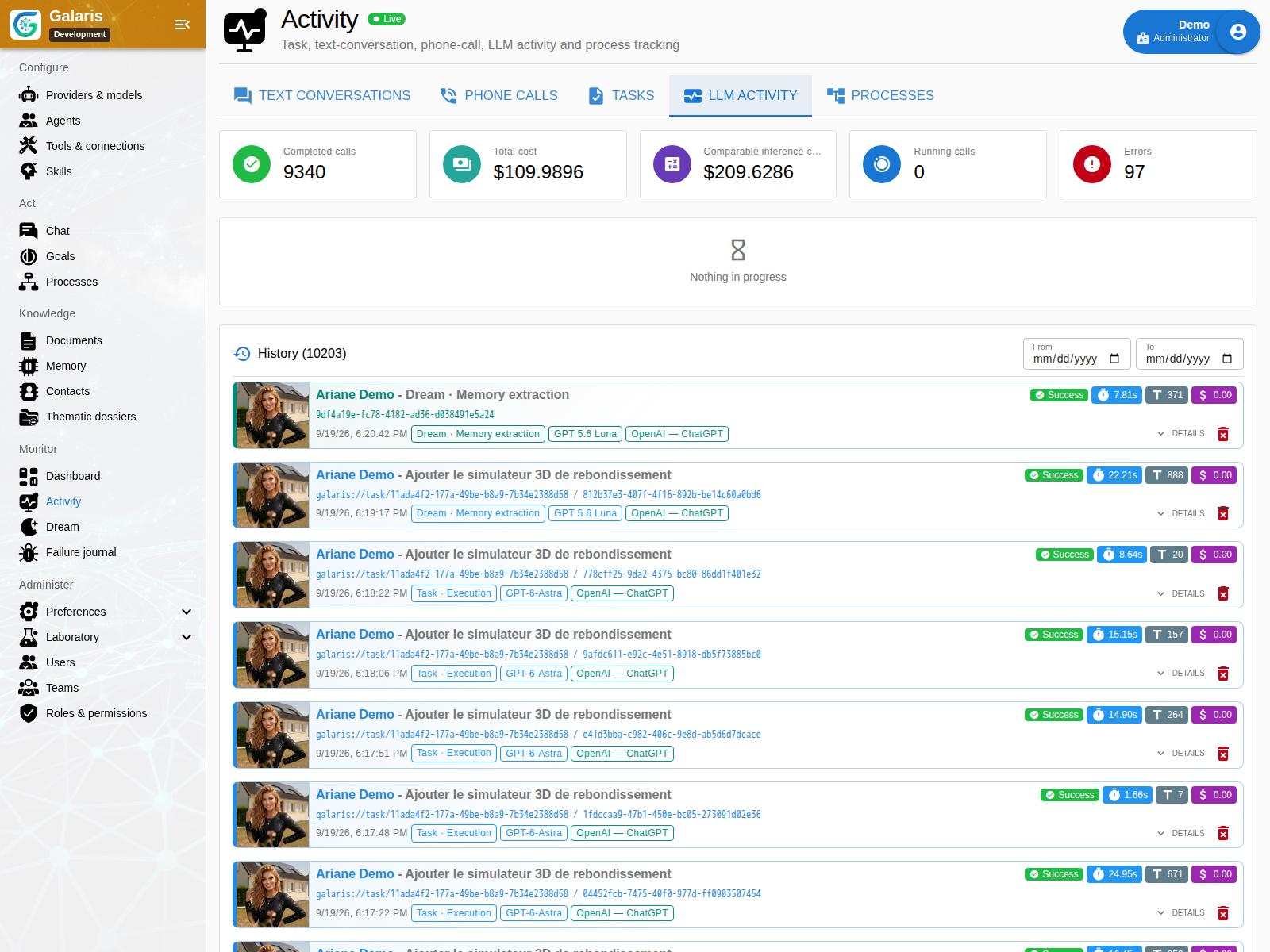
Activity brings together text conversations, calls and voice sessions, Tasks and subtasks, model activity, and Processes. Follow related identifiers to move from a mission to its model call, tool execution and output.
Specialised journals and Console
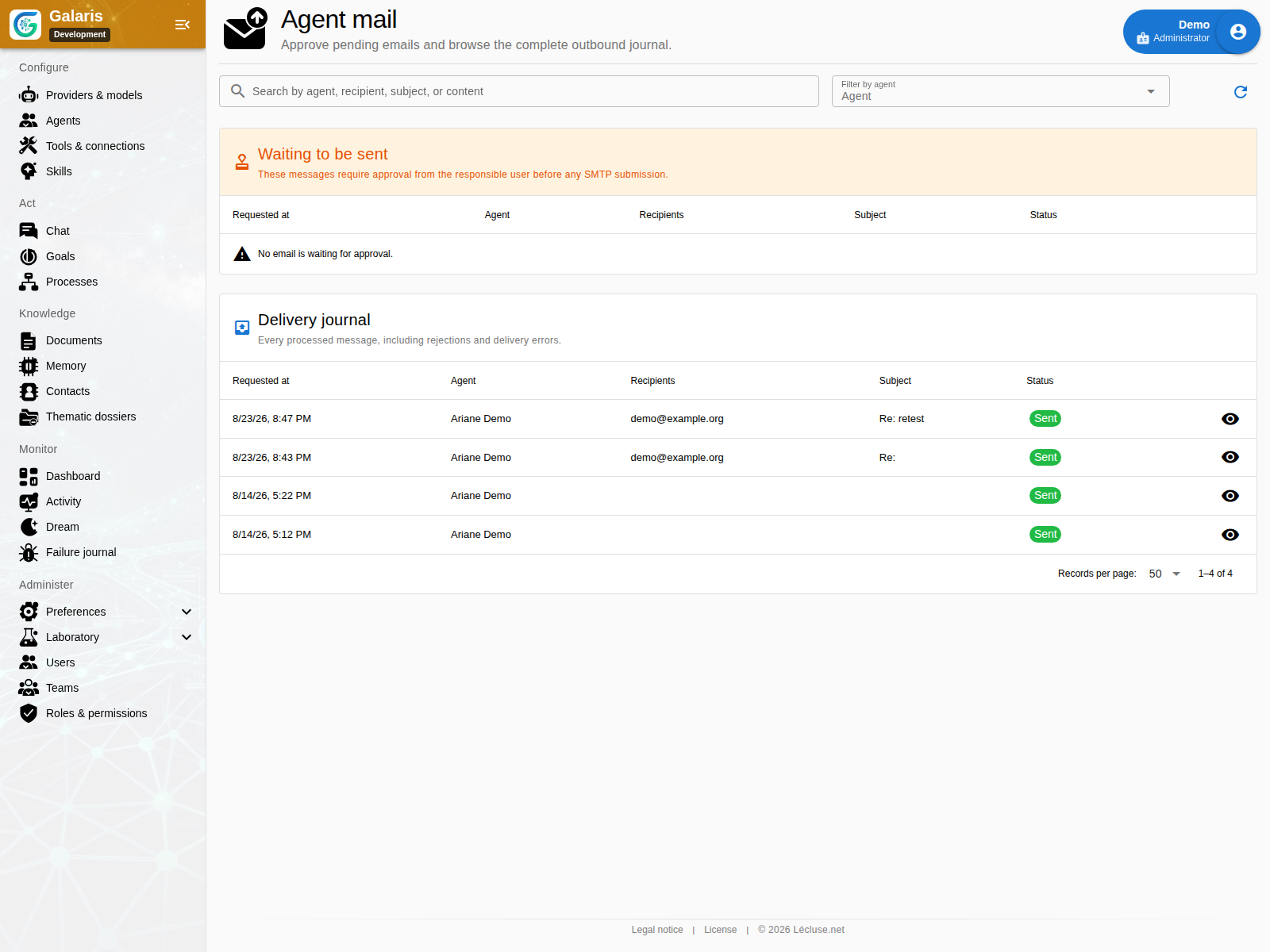
The mail journal records delivery status and errors when Mail is available. Incidents preserve interpretable failures; log settings control diagnosis and retention. Console sessions require permission and an available SSH or embedded executor. They are not automatically granted to every agent.
Trace a result back to its cause
Follow result → Task or Process → run → model call or tool → external event → journal. Keep one correlation chain when diagnosing a failed delivery or unexpected cost. This makes it possible to identify the failing stage before deciding what to retry.
Review incidents by family
Search by category, phase, severity and correlated objects. Families group similar occurrences and distinguish initial failure, retries and recovery. Reviews can retain diagnosis, cause, remediation, corrective commit and regression test.
Check operations beyond the dashboard
Health checks distinguish reachability, liveness and critical-component readiness. Configured Logfire/OpenTelemetry complements persisted traces. Retention policies separate logs and business objects.
Product qualification can check an isolated snapshot with make validate, without committing or deploying. Tests, coverage and restore rehearsals verify a defined scope, not every provider. Hosting and data describes what to preserve.
Connect inferences, attempts and telemetry
Durable inferences retain requests and results; execution views distinguish processing, waiting and pauses. Public progress remains separate from the final result. Logfire/OpenTelemetry export is configured in System preferences using an encrypted token; adding, replacing or removing it takes effect without restarting. Without a token, remote export is disabled.