

Start with a single API key
After a simple installation, an OpenRouter API key is enough to start talking. A fresh instance has a preconfigured profile and selected models; the first administrator is offered the Galaris assistant. Enter your key in Providers & Models, then open Chat. You can ask the assistant to guide you through Galaris using its documentation.
Keep roles when engines change
An agent has a role, personality, manager, teams, tools and skills. Selecting another model or Task harness does not replace that identity. Equip research, writing and technical production differently while retaining the same agents.
Choose models and engines compatible with the work assigned. Their capabilities differ; Galaris preserves your agents’ identity and organisation.
Find the work behind the conversation
A mission retains its instructions, steps, contributions, attempts and files. Keep talking, inspect actual state, pause or resume. Delegation links a specialist’s contribution to its parent task.
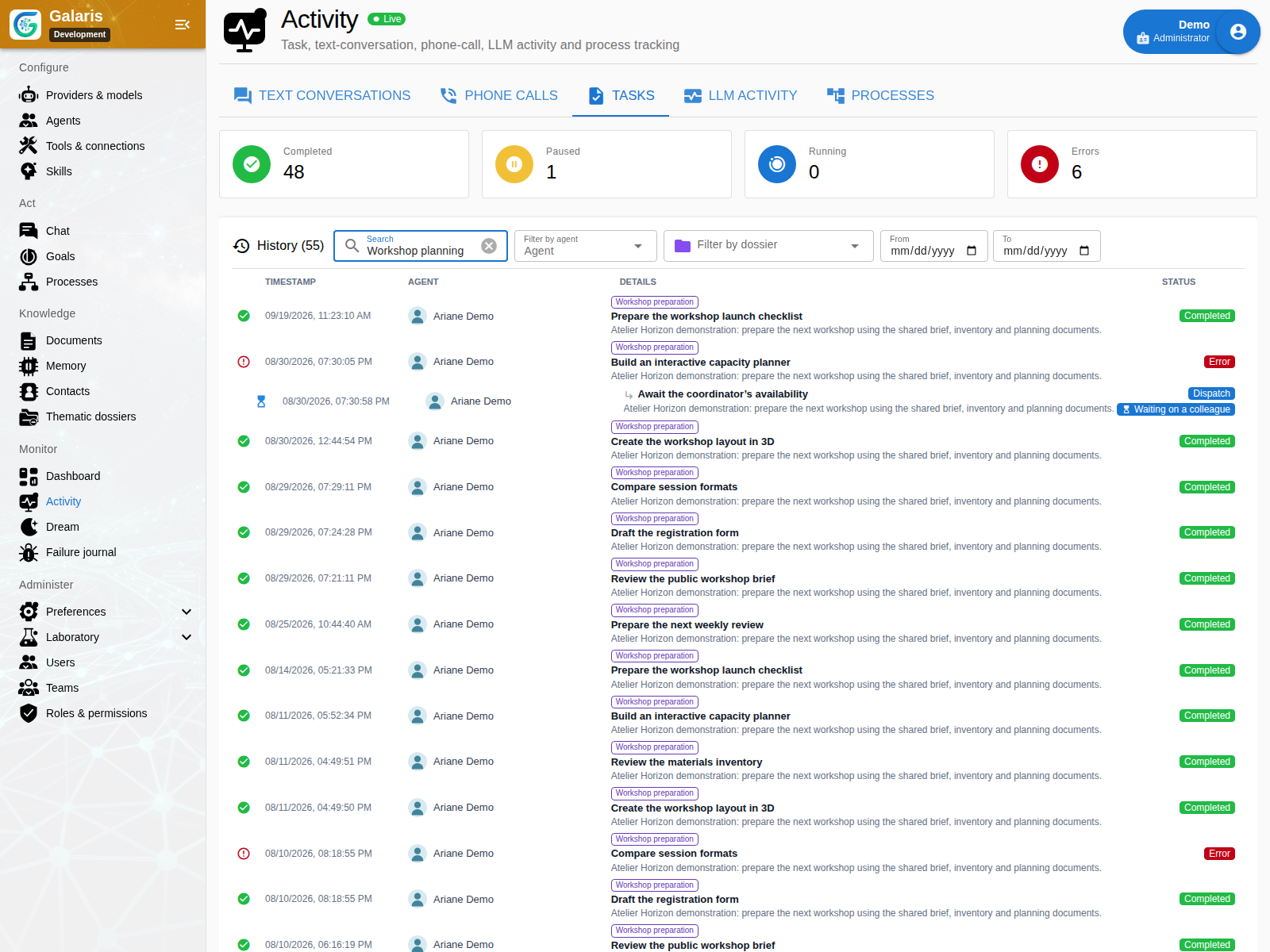
For a multi-step dossier, you can find the original request, completed outputs and decisions still pending. Recovery depends on available evidence and the harness.
Make the result a team document
On desktop, select a passage in the document beside chat and ask for a revision. Your request stays connected to the text you are reviewing without copying it into the conversation.
An agent can create a document you revise in the editor, share with a team and export as PDF or ZIP. Versions and attachments remain connected to the same object. A topic gathers related conversations and work.
Documents, editing and sharing · Topic dossiers
Your filing remains personal: folders and icons do not change document permissions. Attachment descriptions and passage search help retrieve useful content. Review with the agent in chat while keeping the same deliverable.
Turn a document into a reusable tool
A report can become a simulator or form in the same workspace. Your agents create pages and Datasets; you keep version history, filing and control over access. Several pages can use the same data without duplicating the project.
The result can support later decisions: change an assumption, save a scenario, compare results and export the current display. Calculations still need checking, and each reader approves application access to Datasets. Explore these documents.
Retrieve knowledge with its origin
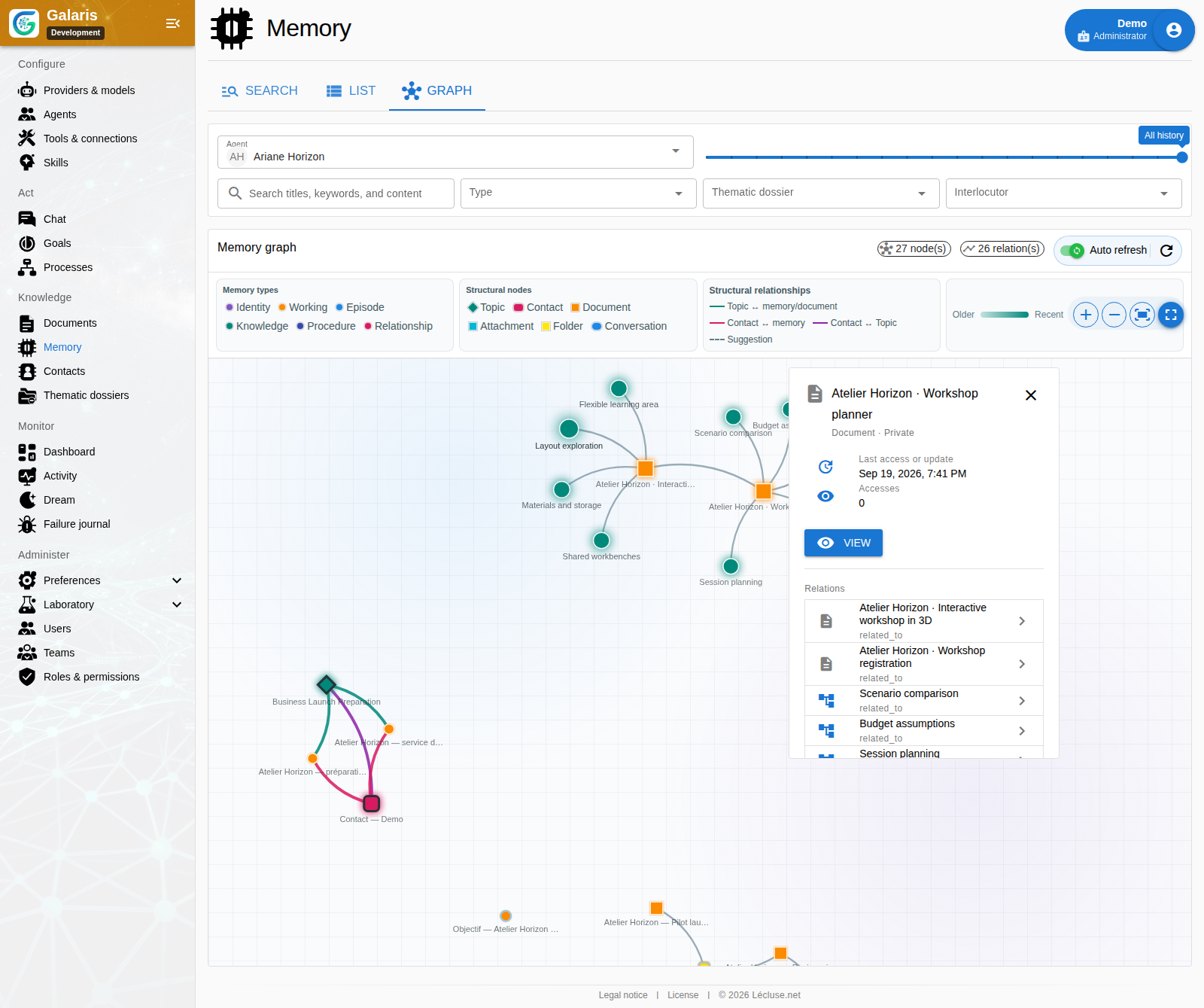
Memory search combines content, similarity, topics and relationships. Access and validity are filtered before ranking. The graph, history and sources help you understand or correct retained knowledge.
A partial date or recurrence can bring a memory back into conversation when it matters. The list combines search and temporal filters alongside the graph. Recall respects permissions and does not create automatic notifications. Explore memory.
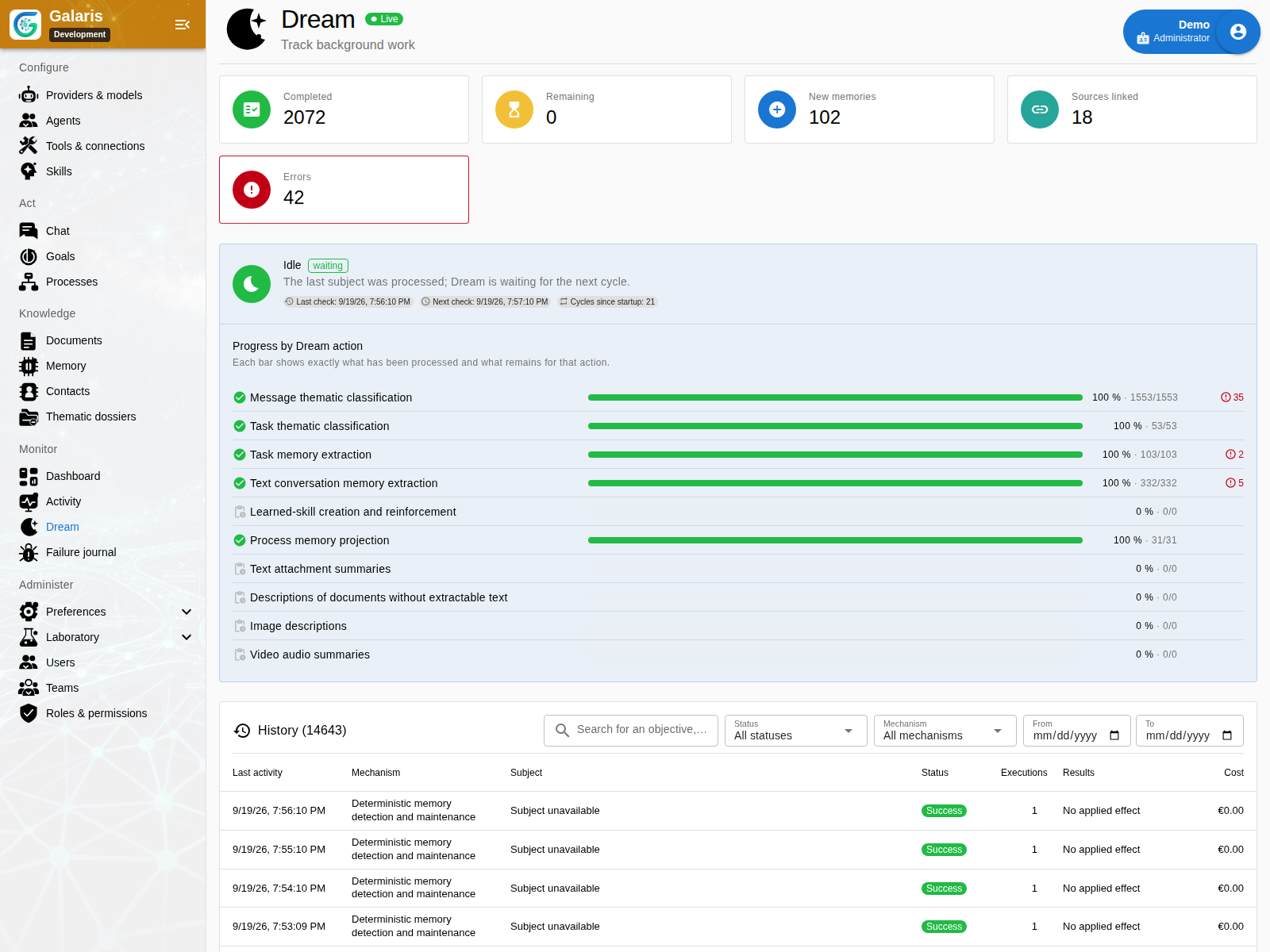
Dream organises and consolidates in the background with inspectable receipts. Procedural learning is disabled by default and requires evidence from several tasks before a new skill is used.
Connect autonomy to specific decisions
Email can be prepared, fixed and approved by its assigned reviewer before sending. A Goal has a human referrer, work windows and documentary follow-up. A business process retains its run and resources. These provide controls suited to each use.
Email approval · Lasting goals · Processes
Use your models from your own applications
Galaris can also serve external clients. Configure a profile for Claude Code, Codex or a business application: keep your working tools while centralising model choices and call tracking. Combine agents, channels and applications to suit your work.
Evaluate on work you actually encounter
An authorised agent can prepare synthetic cases for review, run an evaluation and help interpret the evidence. Its reviews are identified separately from human reviews; Lab experiments do not automatically modify production.
Capture a Task, conversation or transcribed voice turn in the Lab. Compare candidates on the same cases, repeat runs and confront automated judgments with human review. Costs and incidents inform the decision alongside scores.
Comparing two recorded evaluations pairs equivalent cases and shows regressions, quality, latency and available costs. Missing or ambiguous results remain visible; viewing the comparison does not call the models again. Evaluate with the Lab.
Galaris builds value through continuity: a team, knowledge and goals connected to the same work, on your infrastructure.
Find files and prepare your team
The private file catalogue connects authorised resources to memory, with locations, descriptions and previews. Shared documents retain full content and a separate synthesis; standalone memories stay private. Find your files.
With explicit administrative delegation, the assistant can help create specialists and configure their connections. Current rights, approvals and revisions continue to govern its actions. Prepare your team.