
A task to carry out
Research, analyse, write: the harness drives the agent’s work as it adapts its steps and uses authorised tools to reach the goal.
Explore agentic tasksThe hub for your agentic ecosystem
Change the engines. Keep your ecosystem.
Ideal for solo work, project teams and small organisations.
Open source · CeCILL 2.1Talk to your agents like colleagues. They can handle tasks or start your predefined business processes. Run your models entirely locally, in the cloud, or combine both. Memory, tools and permissions stay together in Galaris, through its applications or your own.
Fully local, cloud or hybrid inference: your choice.
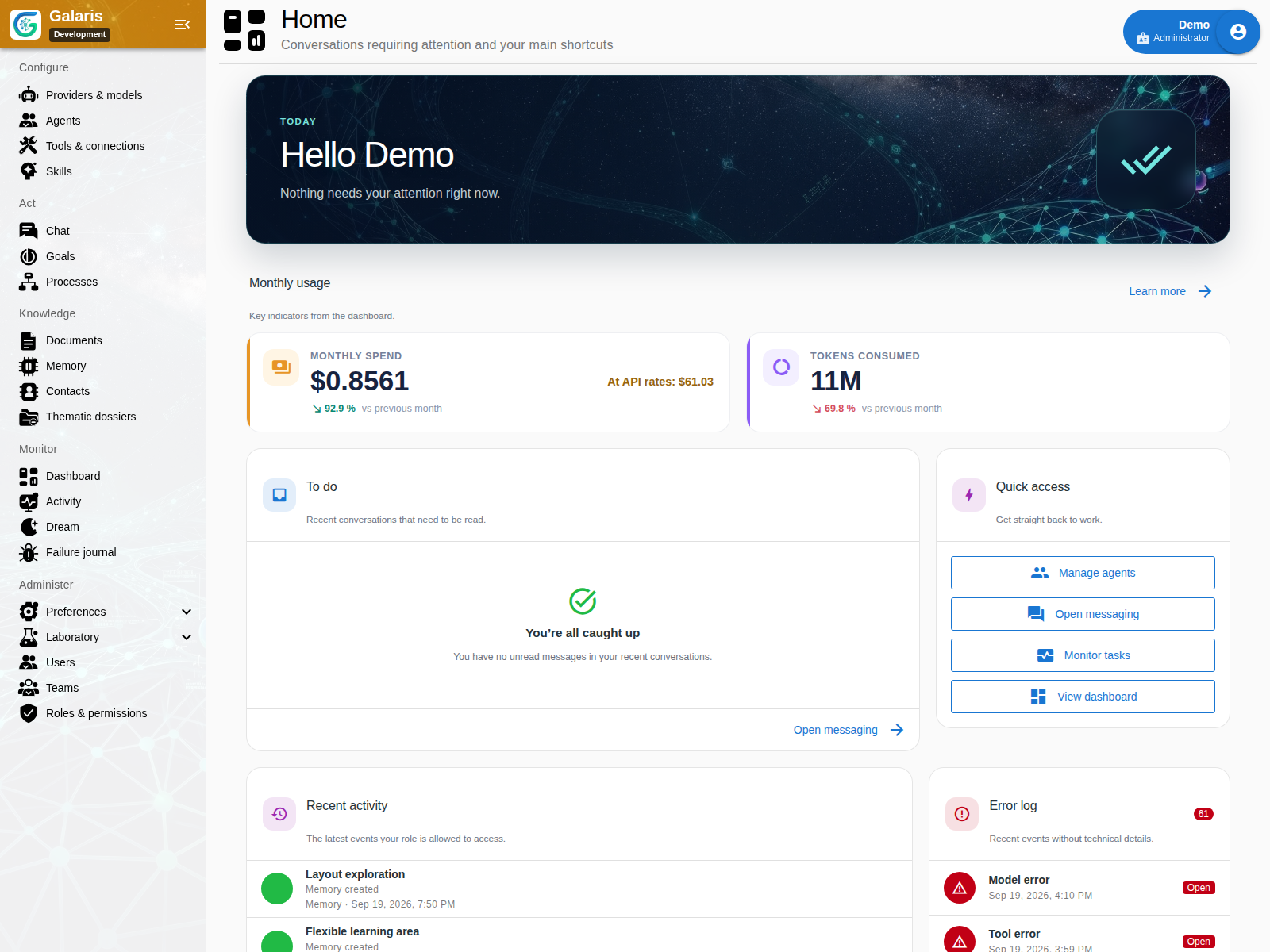
From conversation to action
Galaris has two agentic loops. The conversation loop uses history and memory, with a limited set of tools to stay focused on the exchange. The task loop executes work through the harness; business processes handle predefined workflows. You keep talking to your agent while it works, without mixing the discussion with execution details.
Research, analyse, write: the harness drives the agent’s work as it adapts its steps and uses authorised tools to reach the goal.
Explore agentic tasksThe agent starts a configured business process assigned to it. Steps, rules and approvals are defined in advance; Galaris tracks the execution.
Explore business processes with n8nKeep the conversation flowing while work continues. “How’s it going?” The agent checks the actual progress and answers naturally without interrupting its task. You can also start a task, request a stop or adjust its instructions along the way, depending on its state. You customise instructions, models, harnesses and the tools available to your agents. Understand the two loops
Need a model inside the workflow? The process can call the Galaris inference API, with call tracking and available cost data. Explore the API integration
The whole platform
Six starting points to find the capabilities your team needs, their screens and their requirements.
Reach agents through your conversations.
From individual tasks to lasting goals.
Deliverables to review, edit and share.
Build on work already completed.
Choose models, engines and services.
Inspect access, results and costs.
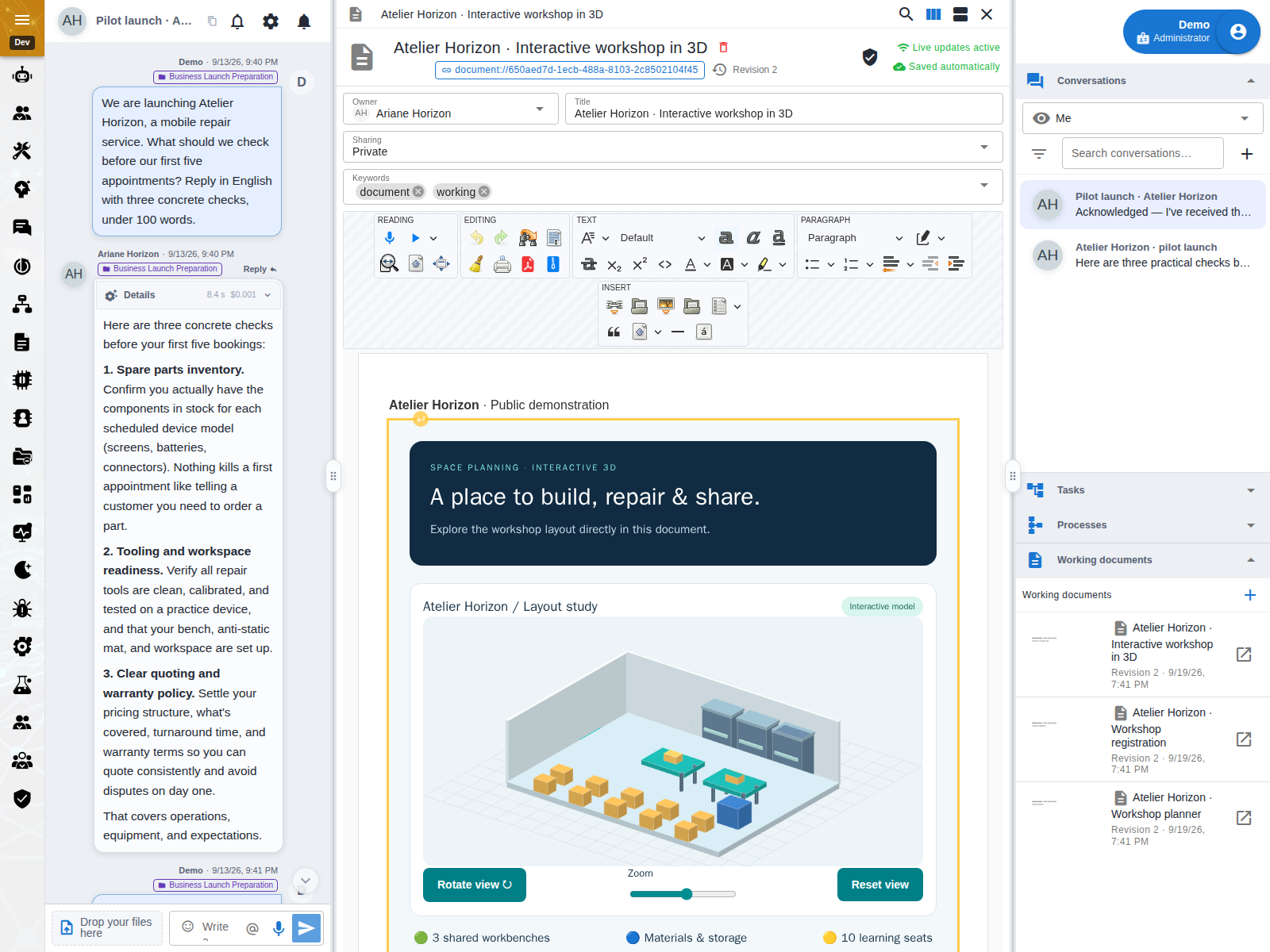
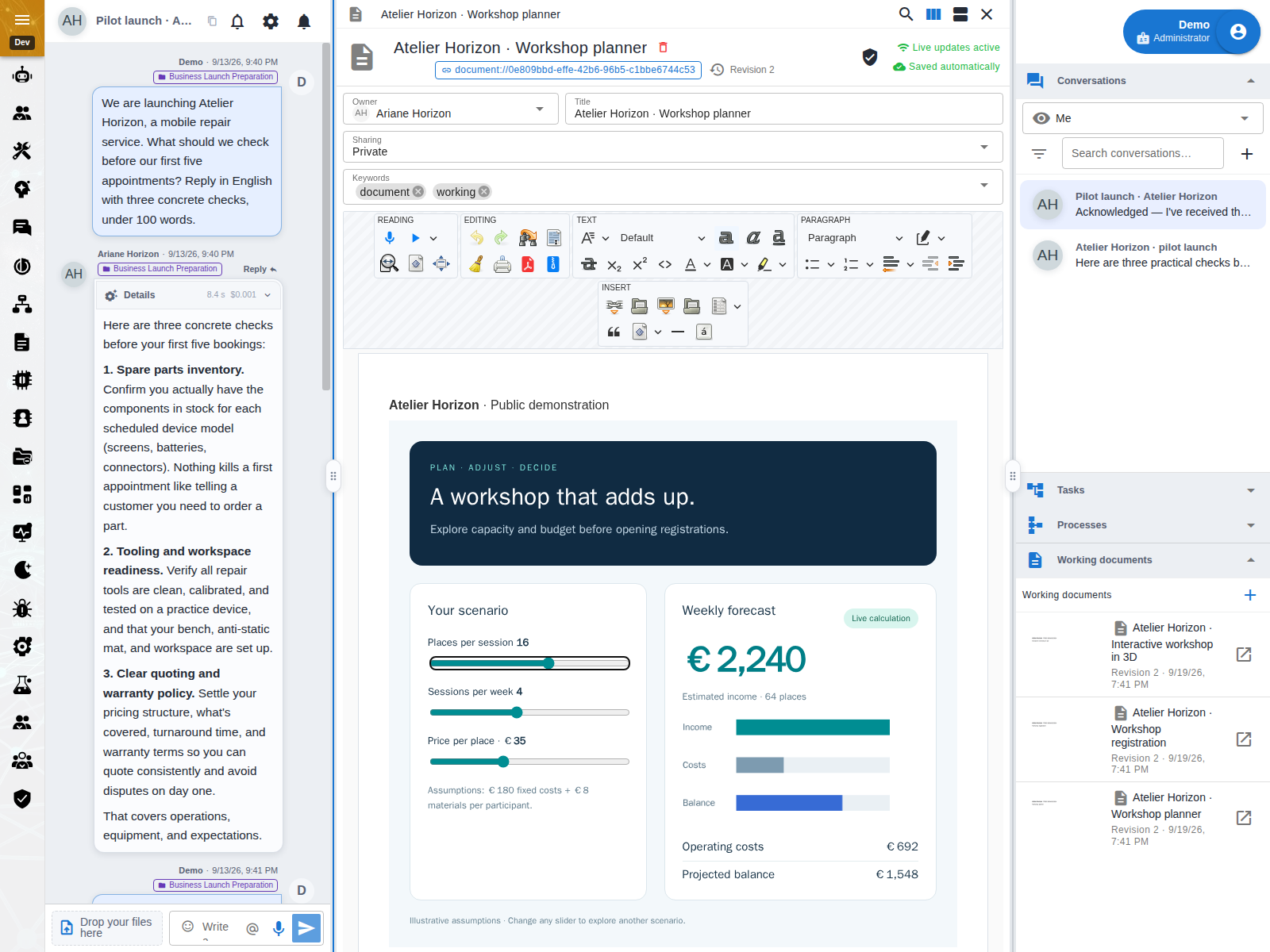
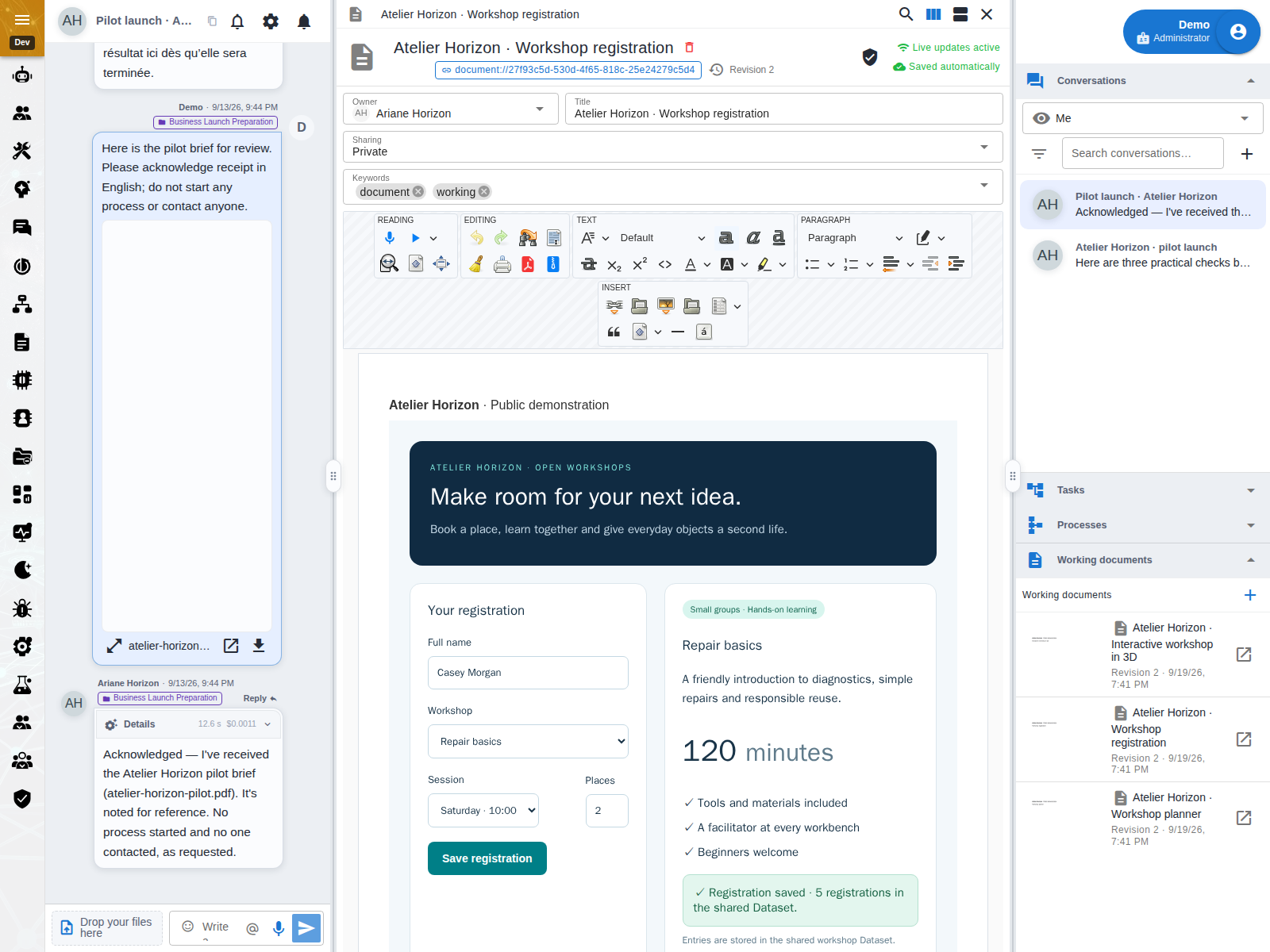
From document to working tool
A form to complete, a simulator to adjust, a 3D scene to explore: open the document beside the conversation and keep working with your agent.
What your agents can do
From the first message to background work, explore the features that make a difference.
01Missions & plans
Give an agent a lasting piece of work: the original request and attachments stay separate from supplementary context. Inspect its plan, steps and result while the conversation continues.
Use it toPrepare a document in several stages and return to check its progress.
Explore this feature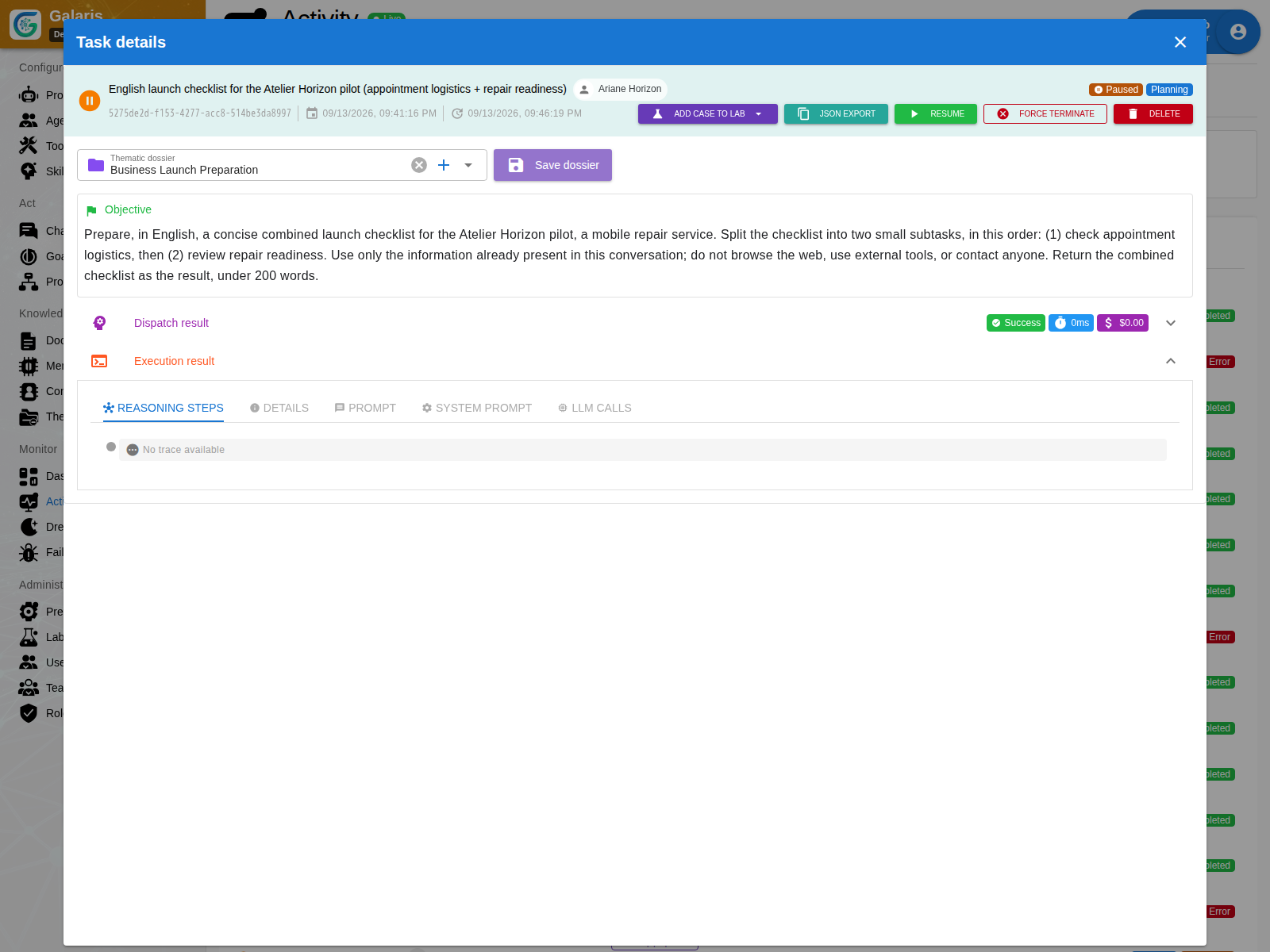
02Agent collaboration
An agent can delegate a contribution to another, wait for its response and resume work with the result. Contributions remain linked to the mission.
Use it toHave one agent research sources and another prepare the summary.
Explore this feature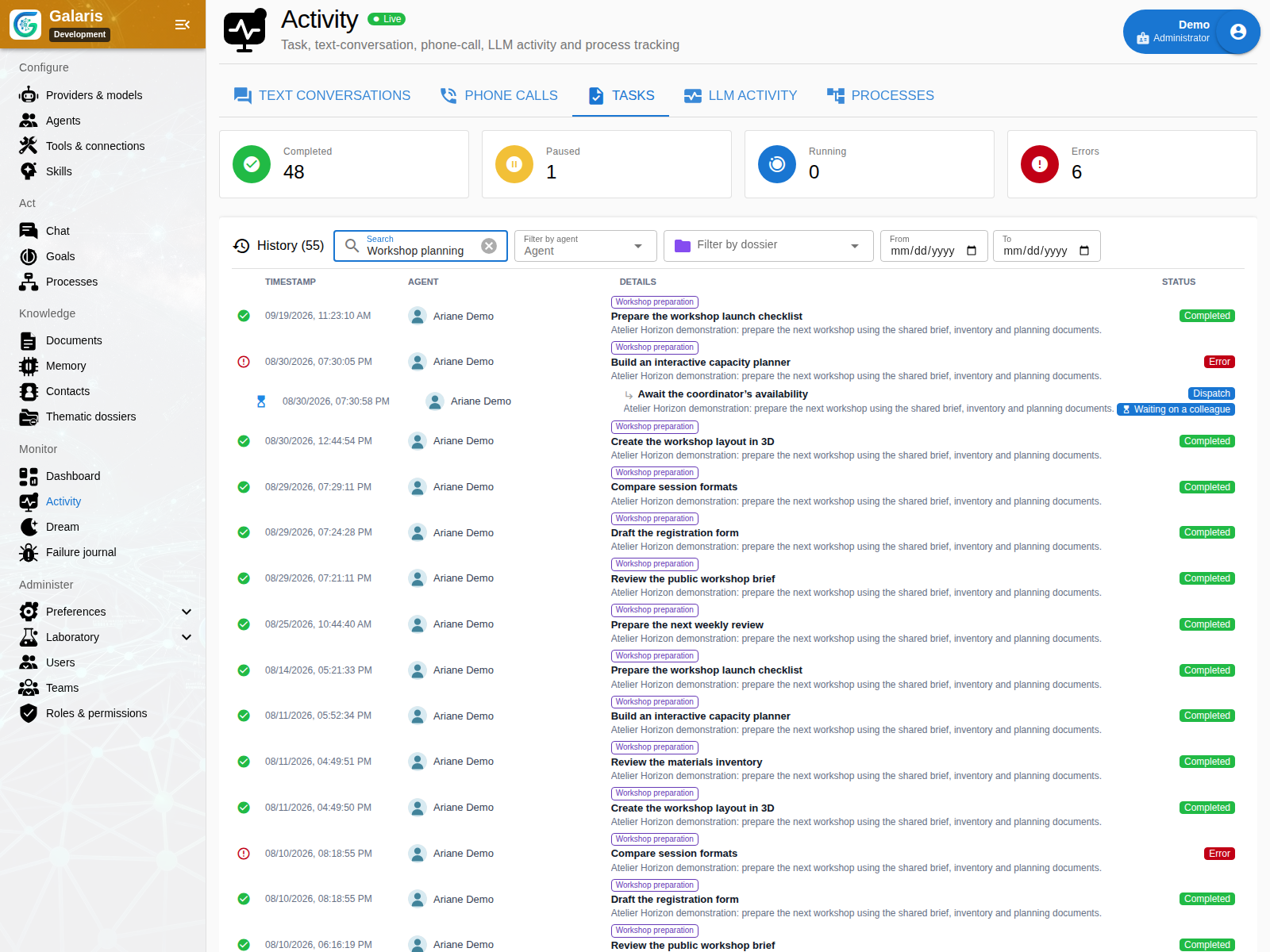
03Graph memory
Find a passage in your documents, then explore links to sources, attachments and topics. The graph preserves identities and access rights; acquired descriptions complement readable content.
Use it toReturn to a project and find the documents and discussions behind it.
Explore this feature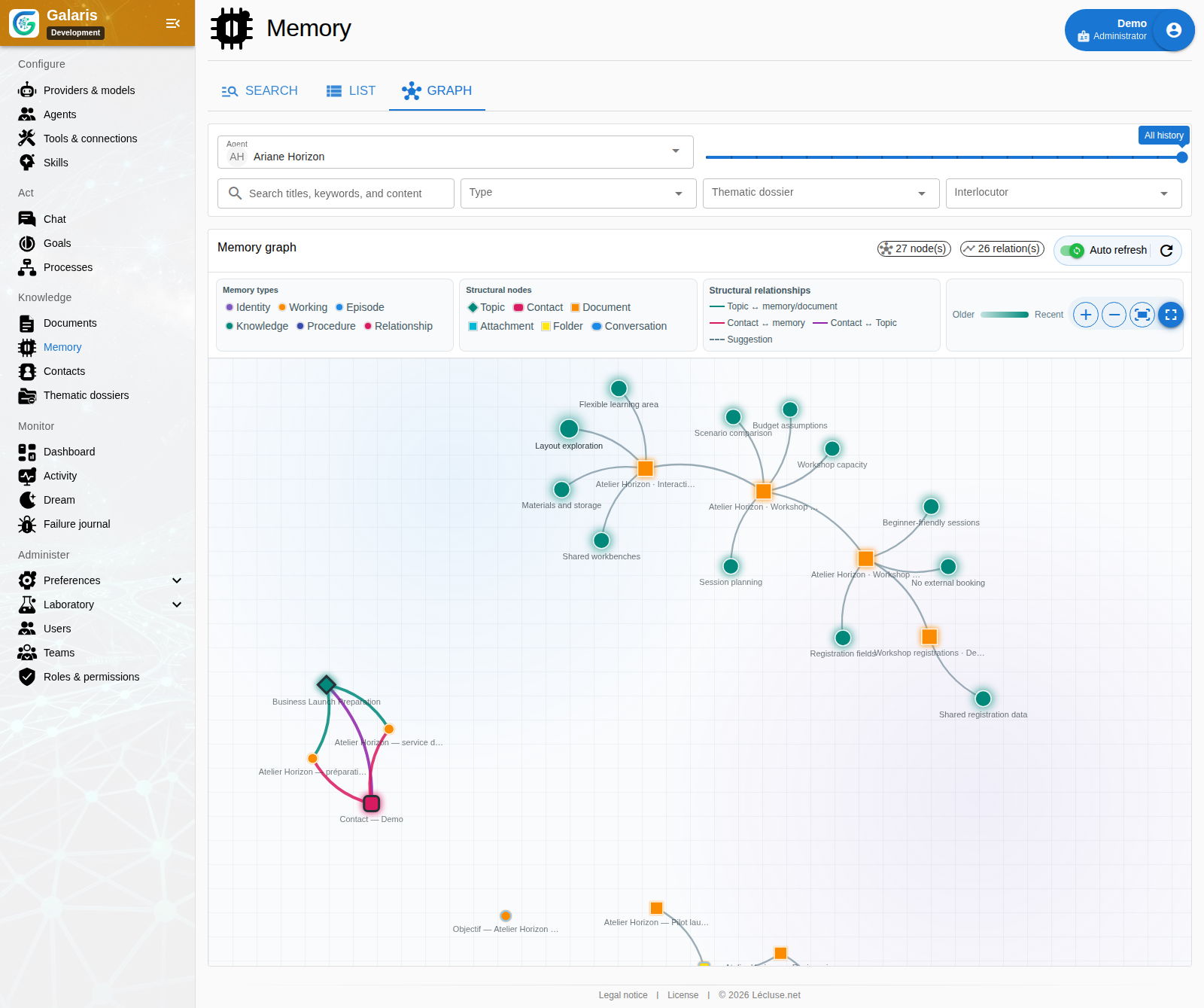
04Dream mode
Dream maintains and consolidates memory in the background. You can inspect its operations; skill learning offers another way to build on experience when enabled in the configuration.
Use it toOrganise accumulated context and inspect what has been consolidated.
Dream skill learning is disabled by default.
Explore this feature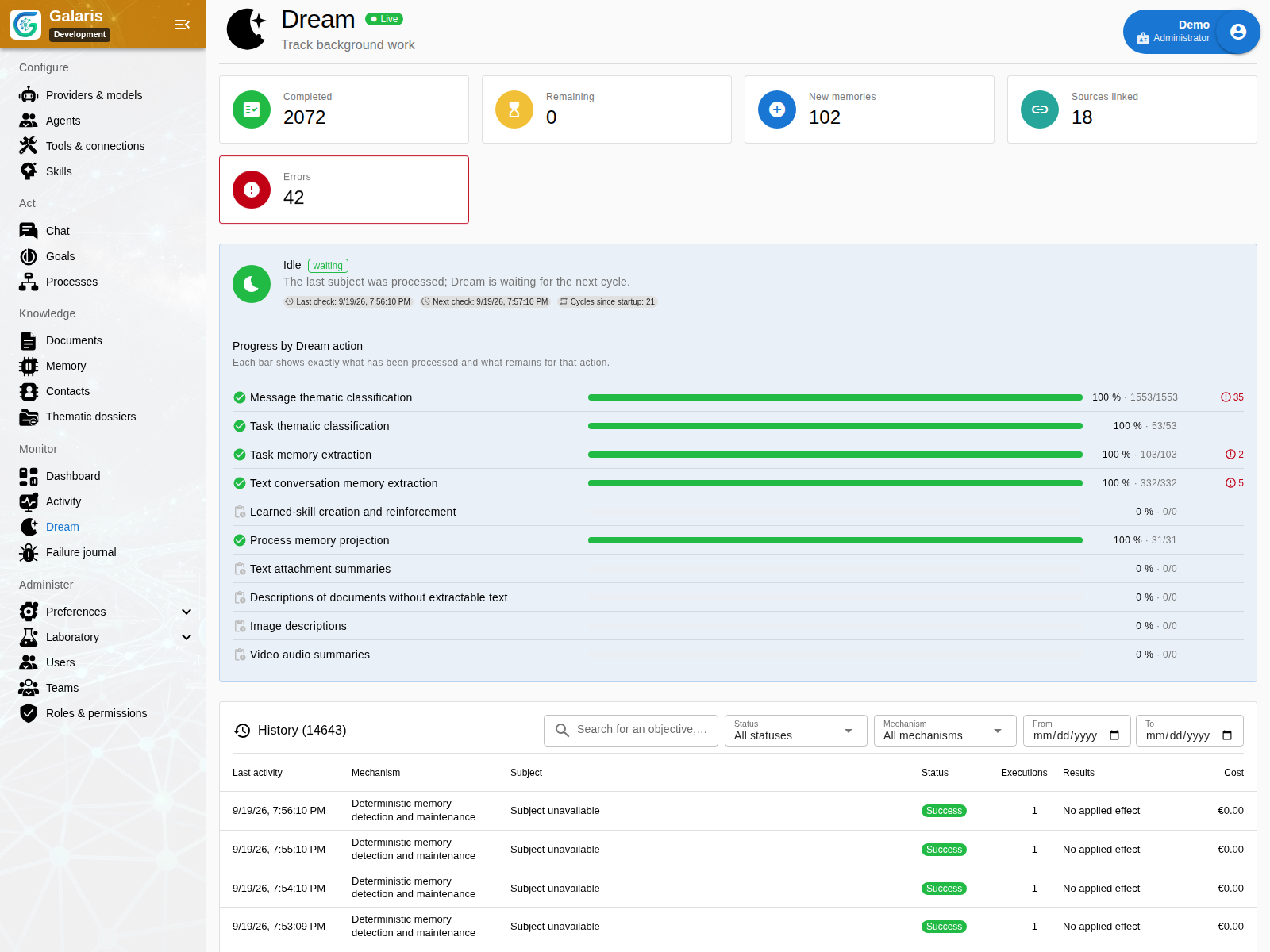
05Voice conversations
Speak with your agents using a compatible model. Session monitoring lets you inspect voice activity and the tools used.
Use it toDiscuss a request out loud.
Explore this feature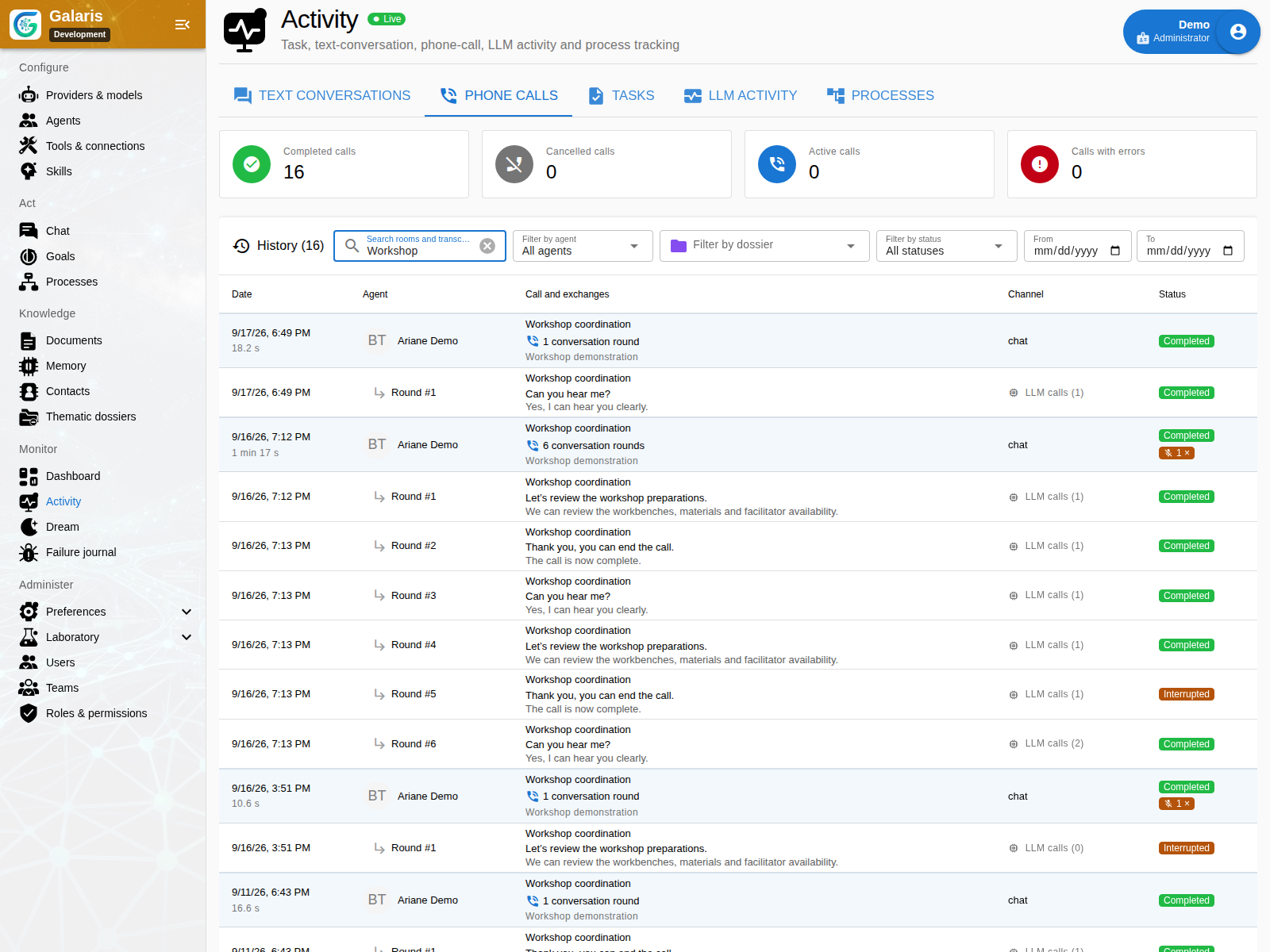
06Goals & cycles
Define a goal to pursue over time. Cycles retain their work, evaluations and evidence, with a configurable schedule.
Use it toFollow a research topic and its new questions in each cycle.
Explore this feature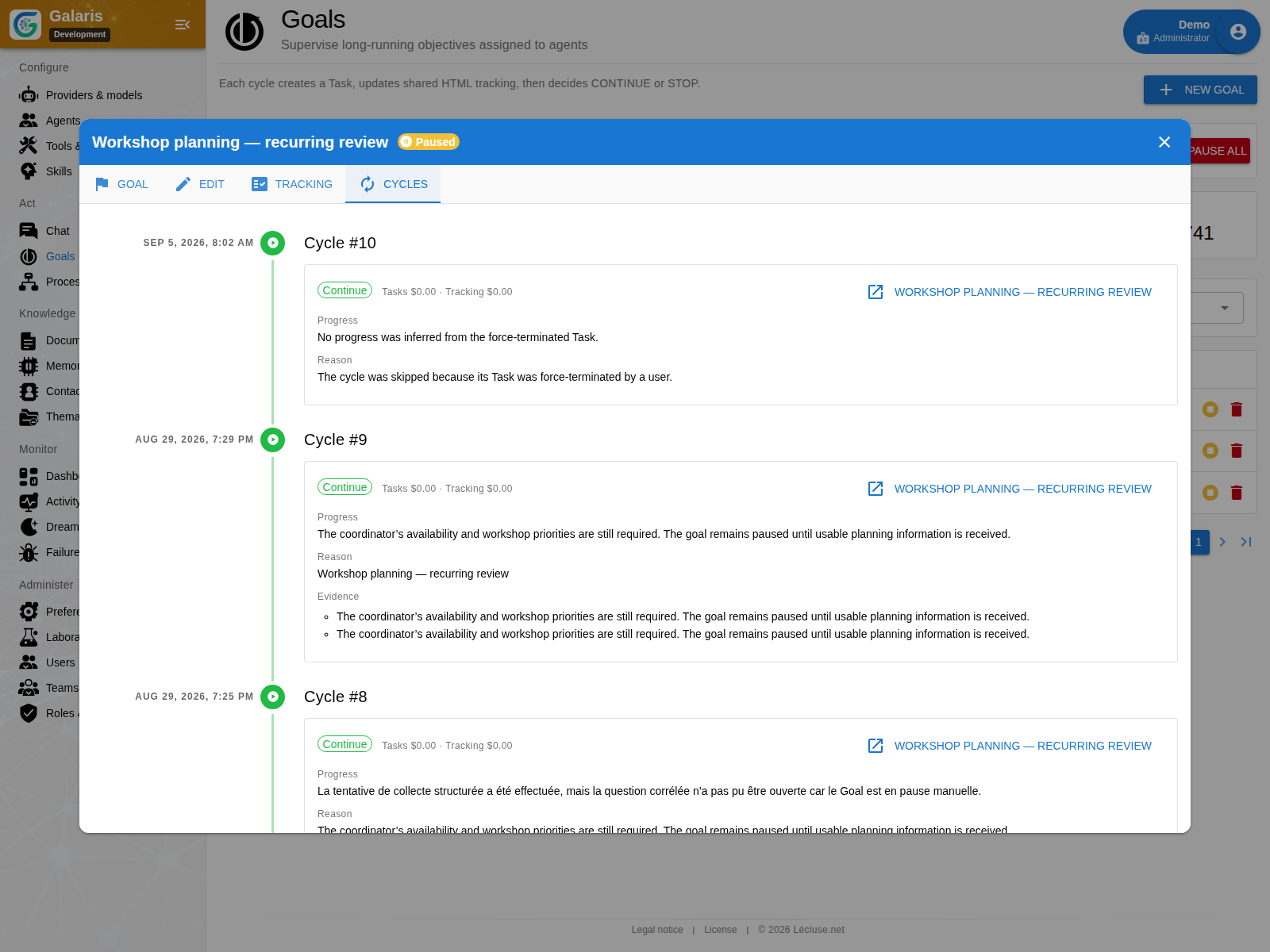
07Business processes
Your agent can start an authorised process configured on your instance. The request stays linked to the business workflow and its progress.
Use it toStart the processing workflow for a document.
Explore this feature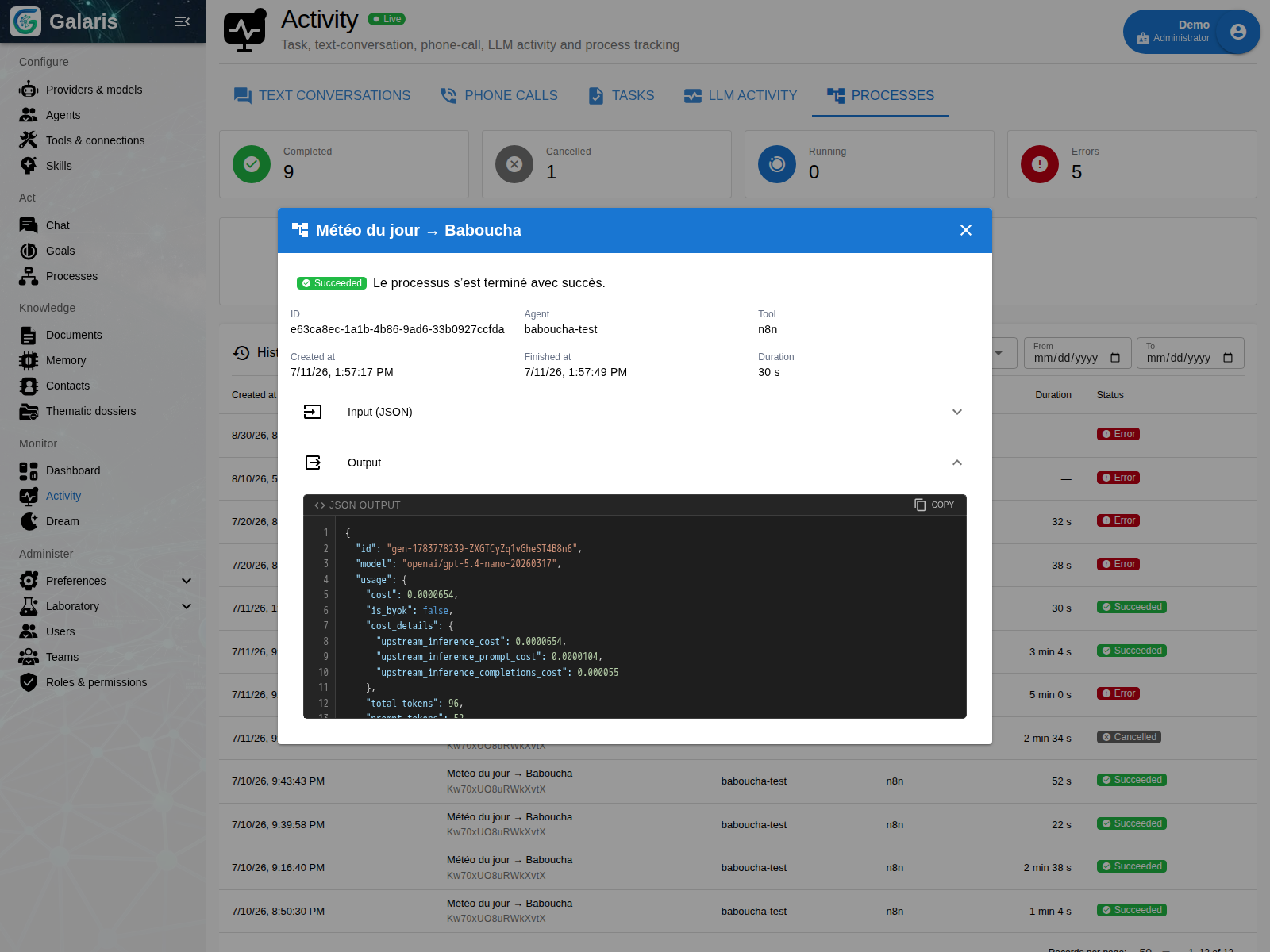
08Agents, models & skills
Assign roles, model profiles, skills and tools to your agents. Choose the capabilities each agent needs and connections to your services.
Use it toEquip a research agent and a writing agent differently.
Explore this feature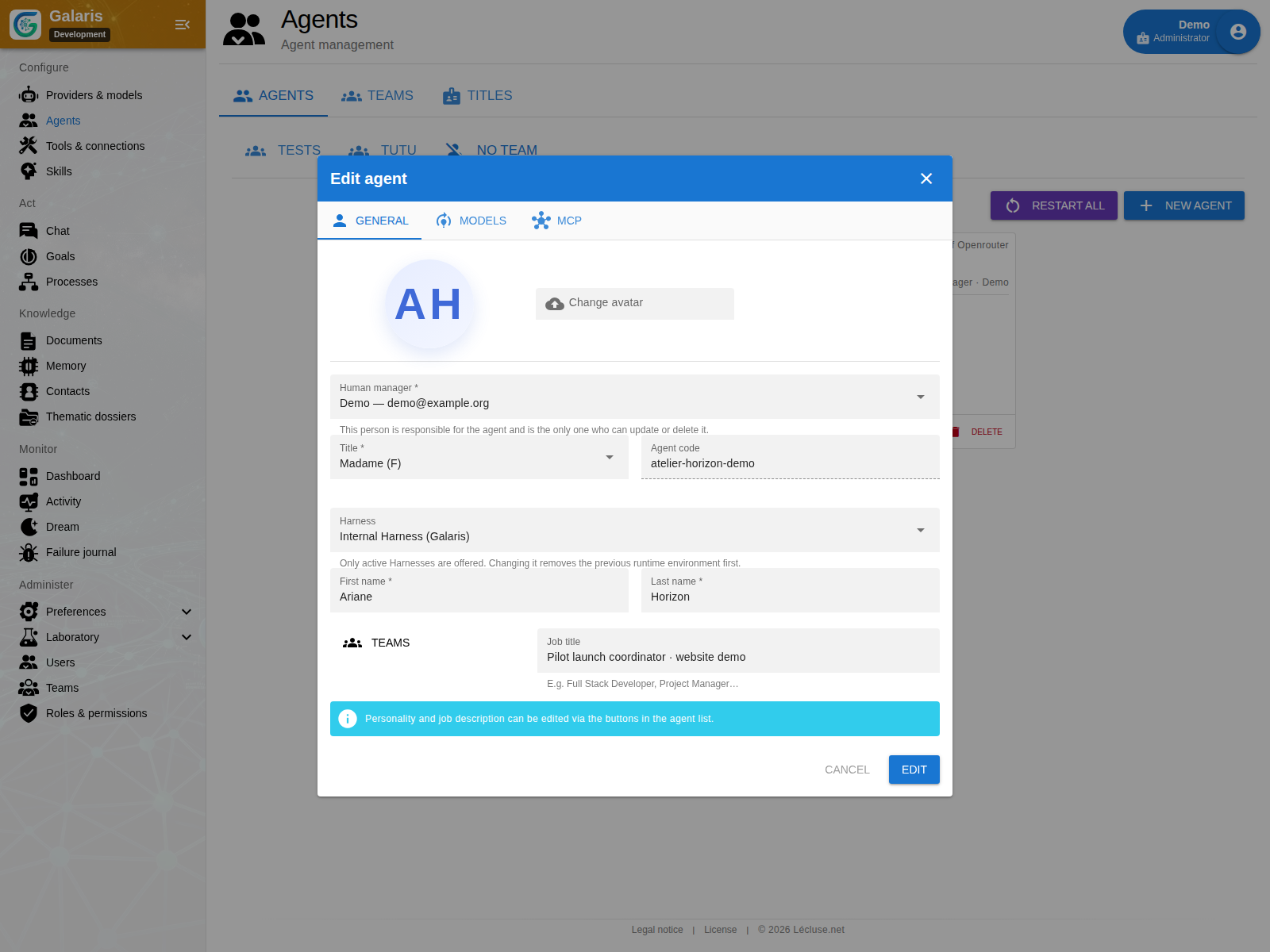
What you build with Galaris
Agent identities, memory, connections and permissions stay in Galaris. Evolve your ecosystem’s engines while keeping what you have built.
Choose fully local inference, cloud providers or both. Change compatible models or harnesses: your agents, their memory, connections and permissions stay managed in Galaris.
Your research agent keeps its role, knowledge and authorised tools when you choose another harness or model provider.
Documents, sources and conversations feed connected memory governed by access rights. You and your agents work with the same document from drafting through review and sharing.
Return to a project and its sources to prepare your next decision.
Set a direction and a schedule. Work cycles keep their results, evidence and evaluations to determine what comes next. A designated contact can be asked for a decision when needed.
Follow a research topic and review progress from one cycle to the next.
Follow your agents’ steps, results and actions. When delivery can be retried, the existing output is reused. Recovery takes account of known effects and uncertain situations.
Retry a supported delivery without asking the agent to recreate the document.
Dream maintains memory and can derive skills from past missions.
Find useful knowledge and review skills proposed from completed work.
Skill learning is disabled by default. You choose whether to enable it and evaluate its results.
A shared system across the layers
Galaris is the hub that preserves your working environment as its engines evolve. It connects models, harnesses and tools, and also provides its own chat, internal harness and applications.
Configure and authorise your tools in Galaris. Connect an MCP server, define which functions each agent can access, then choose its execution engine. Galaris presents the authorised catalogue to that engine. Tool configuration stays in the hub.
Conversations, goals, documents and processes: the spaces where work takes shape.
Memory, skills and MCP configured in Galaris: functions exposed according to each agent’s permissions.
Agents, roles and missions stay in Galaris; choose an execution harness suited to the work.
API gateway, inference tracking, events, usage and available costs.
Chat, follow your goals and work on documents in the shared workspace.
Nextcloud Talk, Matrix, OneBot, Telegram: talk to your agents through configured bridges, with each channel’s supported capabilities.
Configure Janus as a single model in a compatible client. Select an agent with @code and Janus hands over. APIs also provide access to models and agents.
For example, your business application can consume a model through Galaris and retrieve the associated inference without using Galaris chat.
Stay in control
Choose your agents’ access, follow useful steps and review the result before using it.
Understand the controls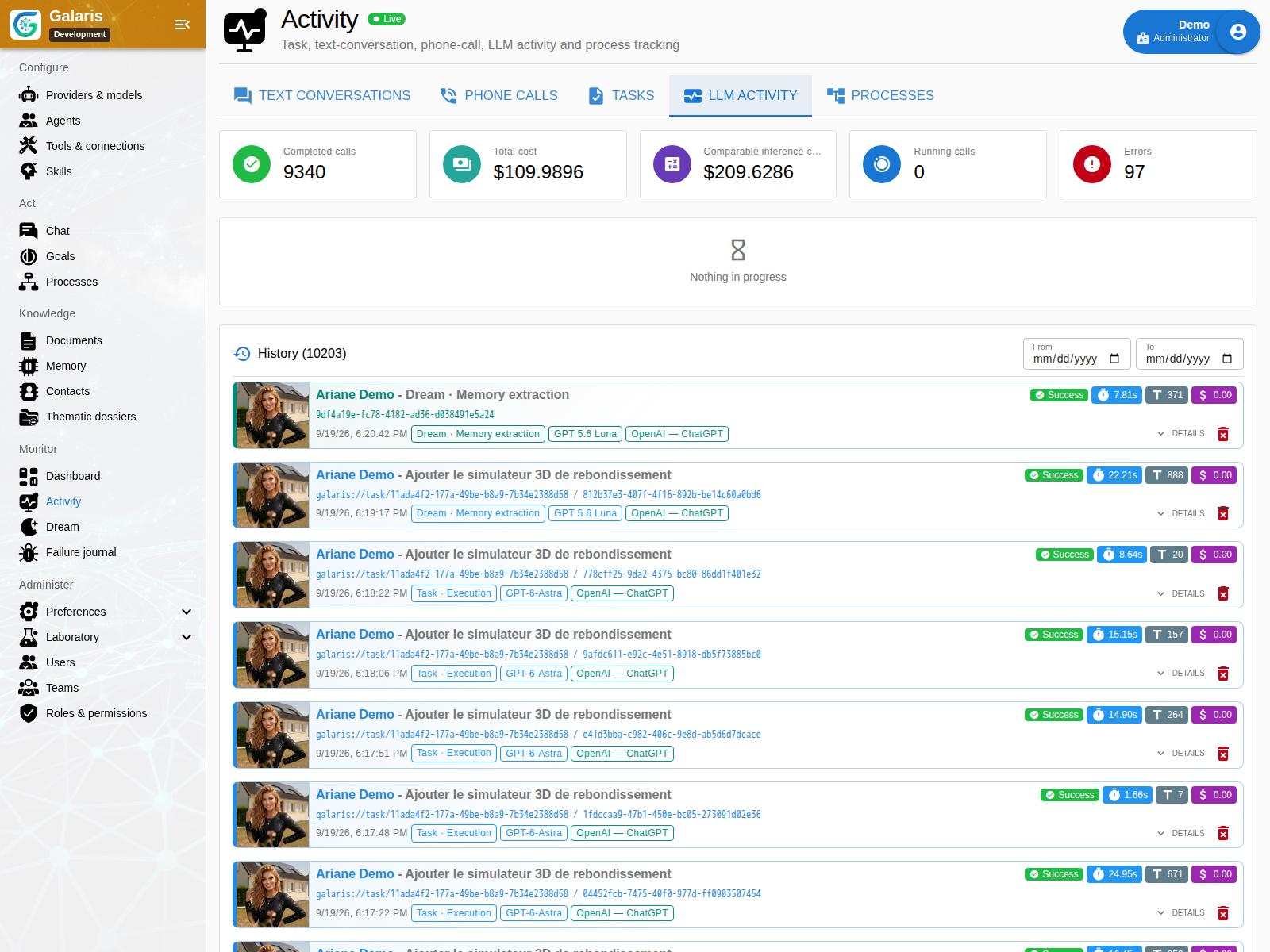
Your first test case
Atelier Horizon is preparing a mobile repair service. Three synthetic notes, a contradiction and a decision give you a focused way to evaluate Galaris.
Request a launch brief with sources and open questions.
Does the agent identify contradictory information?
Provide the correction and compare the result with the reference.
The kit contains a brief, sources and a human-written reference. It is not a result already produced by Galaris.
Start at your own scale
Find installation instructions on GitHub, then prepare your first trial with the Atelier Horizon kit.
Your team, your knowledge, your goals. Explore Galaris’s strengths