
Connect your applications at the level you need
MCP connections are configured in Galaris, with fine-grained permissions by agent, connection and function. The hub exposes the authorised catalogue to configured engines including Hermes, DSH, Codex, Claude and the internal harness. Its chat and documents are integrated solutions within this ecosystem.
A business application can consume models configured in Galaris while keeping its own interface. The LLM gateway provides authenticated resource access and call tracking; the agent layer adds an identity, instructions and the agent’s capabilities.
| Need | Entry point |
|---|---|
| Send messages to a model | POST /api/llm/openai/chat/completions |
| Use the Responses protocol | POST /api/llm/openai/responses |
| Use Anthropic-format Messages | POST /api/llm/anthropic/v1/messages |
| Call a specific agent | POST /api/agent/openai/chat/completions |
| Select an agent through one front door | POST /api/janus/openai/chat/completions |
The OpenAI-compatible formats here are Chat Completions and Responses. Messages uses the Anthropic format. Accepted options depend on the configured protocol, provider and model. Tracking retains inferences, attempts, events and available usage and cost information; the durable inference section explains their controls.
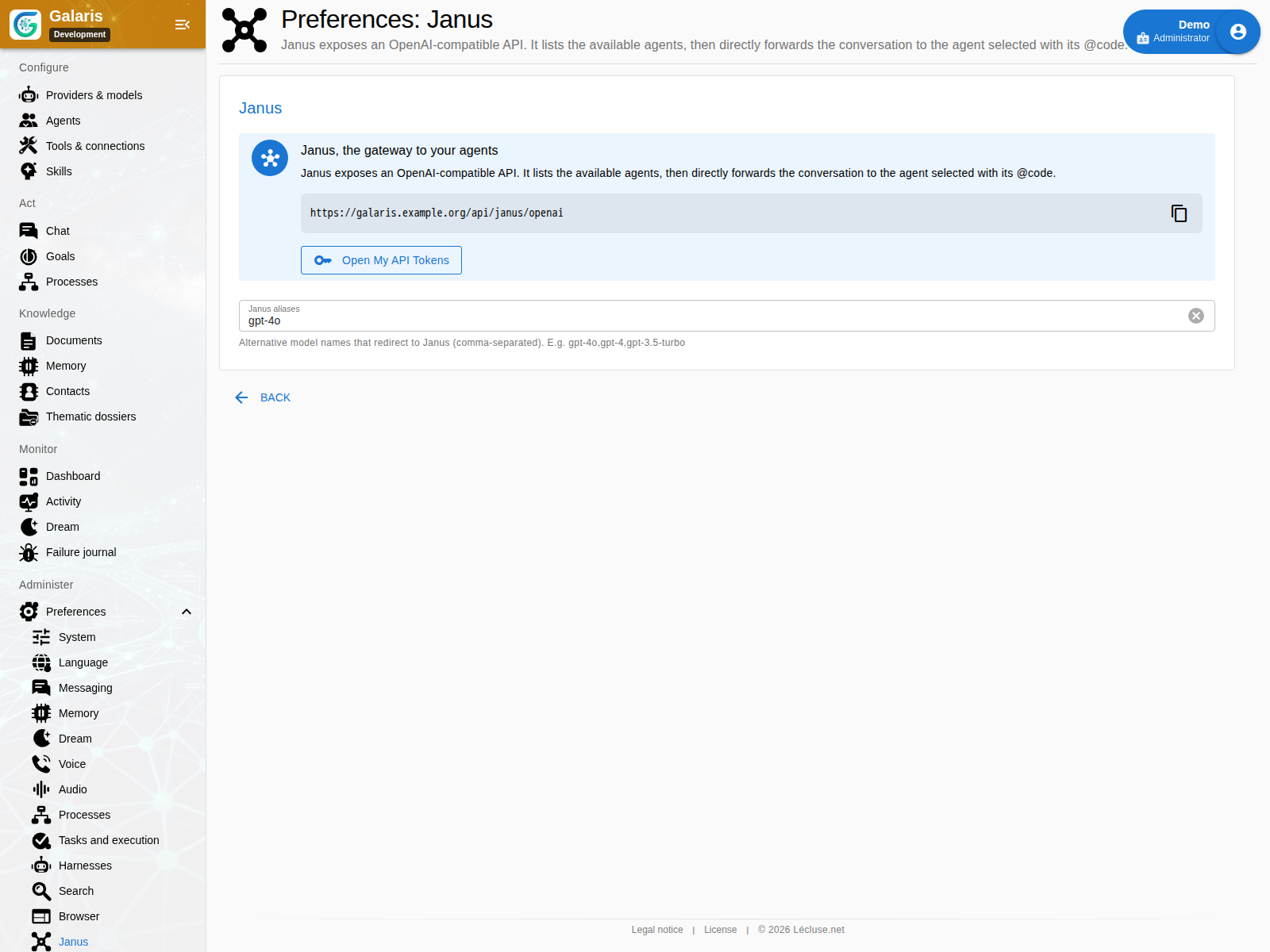
To talk to several agents from a compatible client, configure one API base, /api/janus/openai, and the janus model with your personal token. Select an accessible agent with @code: Janus hands over and can recover the selection from the conversation history. You can also use an alias declared on your instance.
Nextcloud Talk, Matrix, OneBot and Telegram bridges provide another entry into the agent layer, with their own connections and identities. They do not require Galaris chat or Janus. Understand channels and tools.
Distinguish the three interfaces
| Interface | What the client invokes |
|---|---|
| Model gateway | AI resources through Chat Completions, Responses or Anthropic Messages |
| Agents as models | A Galaris identity with permissions and Task execution |
| Per-agent MCP server | Native and connected functions within that agent’s scope |
Janus lists accessible agents, accepts @code or #code selection and can recover the choice from history. /reset or /restart returns to selection. Personal tokens remain separate from MCP tokens.
Personal subscription rights follow the human owner and work origin; a technical identity cannot borrow another user’s subscription.
Choose the appropriate entry point
Agent APIs address configured agents and Tasks. Janus presents agents through a compatible conversation facade. LLM and Claude facades serve selected client protocols. Process APIs start, inspect, update and cancel durable workflow runs.
Janus connects clients to agents
Janus exposes OpenAI-compatible /models and /chat/completions routes. Configured aliases and an agent’s @code help route the exchange, with conversation identity when supported. Protocol compatibility does not imply every proprietary provider option is implemented.
Try a minimal Janus request
Fetch /api/janus/openai/models on your instance with an Authorization: Bearer YOUR_TOKEN header. Check the deployed repository’s API documentation for payloads and streaming options before connecting a client. Never place a real credential in a shared example.
Personal, revocable API tokens
My API tokens creates named credentials that can be enabled, disabled or removed. Authority follows the owner’s grants. Use HTTPS and store the value as a secret. These credentials are distinct from scoped tokens used for other integration paths.
Processes and n8n work in both directions
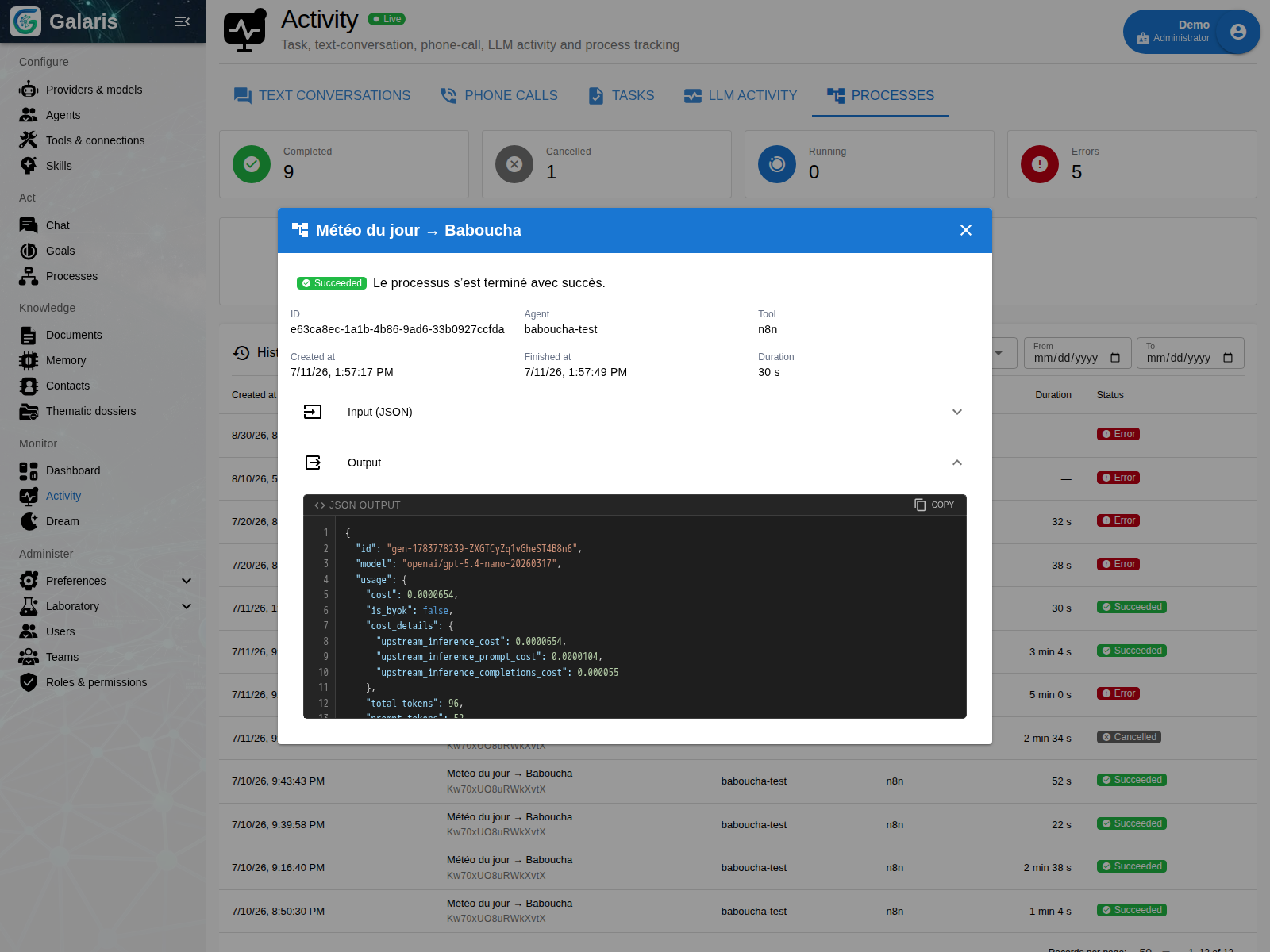
The entry point can be a conversation: the agent prepares inputs and starts an assigned process. If a step in the n8n workflow needs a model, it can call POST /api/llm/openai/chat/completions with a model configured in Galaris.
This call requires authenticated LLM API access, such as a personal token whose owner has the LLM_API_ACCESS permission. Pass the X-Galaris-Process-Run-Id header to associate inference with an authorised run and track calls and available costs. The process callback token does not replace access to models.
A client can start a Process and follow its run. For n8n execution, Galaris transmits an idempotency key and, when needed, a temporary file URL and callback URL protected by a run-scoped token. Events and remote identity connect the workflow to its Galaris origin.
Retain and control an inference
The authenticated /api/llm/openai/inferences API can create a text or structured request, then expose its state, attempts, results and costs. Its SSE stream can be replayed from a cursor after disconnecting. Pause, stop, resume and replay commands carry an identity to prevent duplicate application.
Resume opens a new attempt from the frozen request; replay creates an inference linked to the original. Earlier results remain available. Resuming can call and bill the provider again; it does not resume its computation token by token. Closing an autonomous inference subscription does not cancel it; ordinary HTTP calls retain their own cancellation contract.
Protocol requests enter through the compatible gateways. This layer does not execute tool effects or extend the lifecycle to all media. Chat/Responses replies expose X-Galaris-Inference-Id to locate the associated inference.
The Dataset SDK for document applications
Agents create HTML and JSON documents with existing file tools. Page code declares bindings through data-dataset, data-dataset-alias and data-dataset-access, then uses galaris.datasets to read, append an entry to a root array or replace JSON. An application can declare up to ten bindings.
This browser interface is separate from agent MCP. Every operation checks the page, Dataset, current reader rights and personal consent for the document version. Mutations require the expected revision and add to history. Conflicts are rejected without automatic retry; consent is managed in the human interface and cannot be granted through MCP.
Application JSON is limited to 2,000,000 serialised bytes, 20,000 nodes and depth 32, with finite numbers. Each user–Dataset pair shares 30 writes and 4,000,000 resulting bytes per 60-second window across applications and tabs. This is structural validation, not a business schema. Document workflow.