

From inbox to task
Connect an encrypted IMAP/SMTP mailbox to an agent. Authorised functions let it search and read messages, open attachments, reply, forward, change flags, move messages or send them to trash.
Automatic reception creates a dedicated Task for each admitted new message. Initial activation establishes a starting point instead of turning the entire mailbox history into tasks.
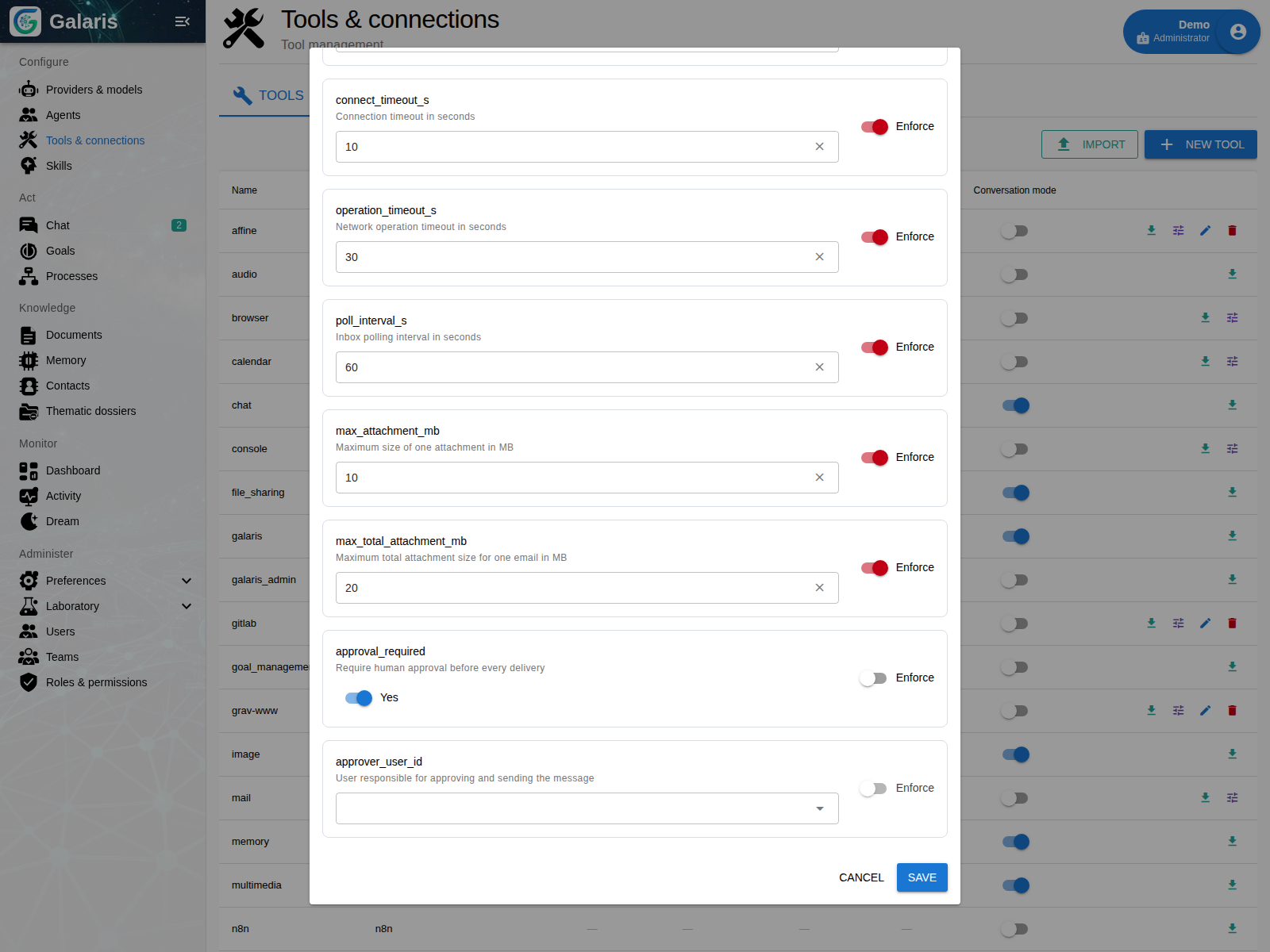
Configure approval
Enable human approval in the Mail connection settings and choose the person responsible for reviewing messages.
Prepare a complete reply
The agent can inspect attachments, find relevant information and compose a reply. Files retain their resource URIs so they can be read or copied into a working document.
Completing the task does not automatically reply to the sender. Sending is an explicit action with recipients, subject, body and attachments.
Approve what will actually be sent
When the connection requires approval, the message is saved before any SMTP submission. The assigned reviewer reads the exact content and approves or rejects it. Approval sends that stored version.
Changing the connection’s reviewer later does not reassign pending messages. When a recipient is known only by name, the agent must resolve their identity; ambiguous results require clarification.
Find the outcome of every delivery
The Mails page separates pending approvals from history. Search by agent, sender, recipient, subject or body. Details retain delivery outcome and reviewer.
An idempotency key prevents duplicate submission of the same request. A connection failure can leave delivery uncertain; Galaris distinguishes that state from a definite failure. Reconciliation can search Sent for the Message-ID instead of blindly sending again.
A first use: prepare a supplier reply
Use a test mailbox and a synthetic attachment. Ask the agent to draft a reply citing the document and leaving unconfirmed amounts open. Check recipients and files, approve it, then compare the received message with its Galaris record.
Sent messages include a signature identifying the AI agent’s use of Galaris. Configure the mailbox, access rights and approval policy first.