

From explanation to experiment, in one document
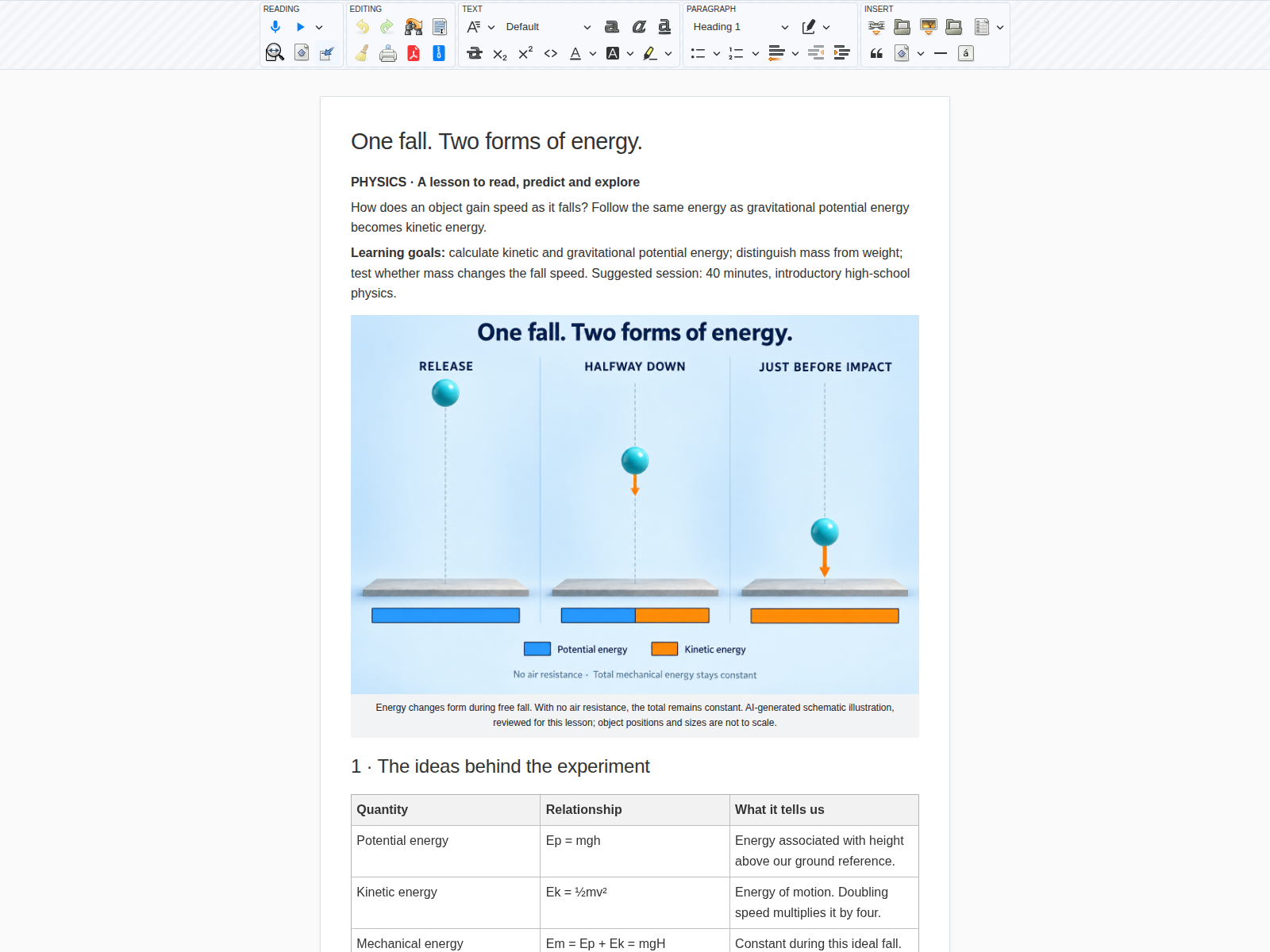
A teacher is preparing a lesson on kinetic energy and gravitational potential energy. They want a classroom display, explanations students can revisit and an experiment with adjustable parameters. Galaris brings the text, illustration and interactive application into one document.
The demonstration lesson includes learning goals, formulas and units, an explanatory illustration, a worked example and three experiments with teacher notes. The document and screenshots are in English; this walkthrough is available in all three site languages.
Drop an object and follow its energy
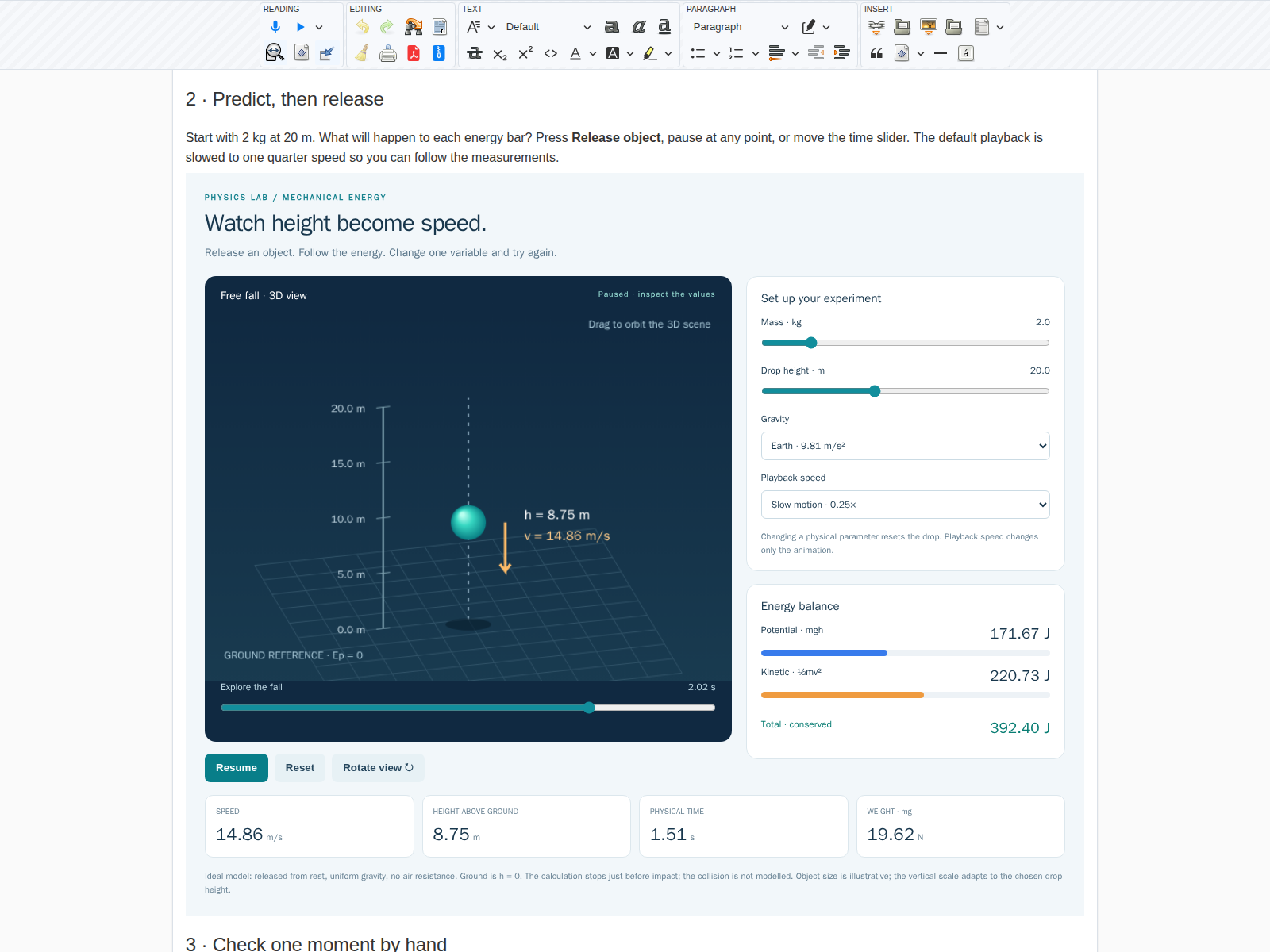
Students adjust mass in kilograms, drop height and gravity, then release the object. The 3D scene accompanies live height, speed, time and weight in newtons. Two bars show potential energy decreasing and kinetic energy increasing; their sum stays constant.
Playback can be slowed, paused and resumed. A time slider lets students inspect any moment, and the view can rotate. Changing a physical parameter resets the drop so two experiments can be compared from the same initial conditions.
Three questions worth testing
| Change | Ask the class | Model result |
|---|---|---|
| Increase mass from 2 kg to 4 kg | Does the object fall faster? | Same speed and duration; energies and weight double. |
| Increase height from 10 m to 40 m | Does final speed become four times larger? | It doubles: speed depends on the square root of height. |
| Switch from Earth to the Moon | What changes at the same mass? | Lower weight and initial energy, longer fall time. |
For 2 kg released from 20 m on Earth, mechanical energy is 392.40 J. At 10 m above ground, both energies are 196.20 J, with a speed of about 14.01 m/s. The teacher can calculate this checkpoint on the board, then find it in the experiment.
Explain the model and review the lesson
The object is released from rest; gravity is uniform and air resistance is ignored. Ground level defines zero potential energy. The calculation stops just before impact: it models neither bouncing nor dissipation in the collision. Mass and weight are distinguished, and slow motion changes only playback speed.
This teaching demonstration was prepared to illustrate Galaris interactive documents. The application calculates locally, without an external service or student data. The illustration was generated with AI; positions are schematic. Teachers should review the explanations and adapt the exercises to their class.
Try this brief with your agent
Prepare a high-school lesson on kinetic and gravitational potential energy. In the same document, embed a 3D simulation of an object released from rest: adjustable mass, height and gravity, live speed and energies, pause, slow motion and a time slider. Explain the assumptions, distinguish mass from weight, and add an illustration and three exercises with answers. Check the calculations for 2 kg dropped from 20 m on Earth.
Documents hold the lesson and its application; media creation tools can supply illustrations depending on configured services. For a first trial, begin with the lesson and a checked calculation, then add interaction.